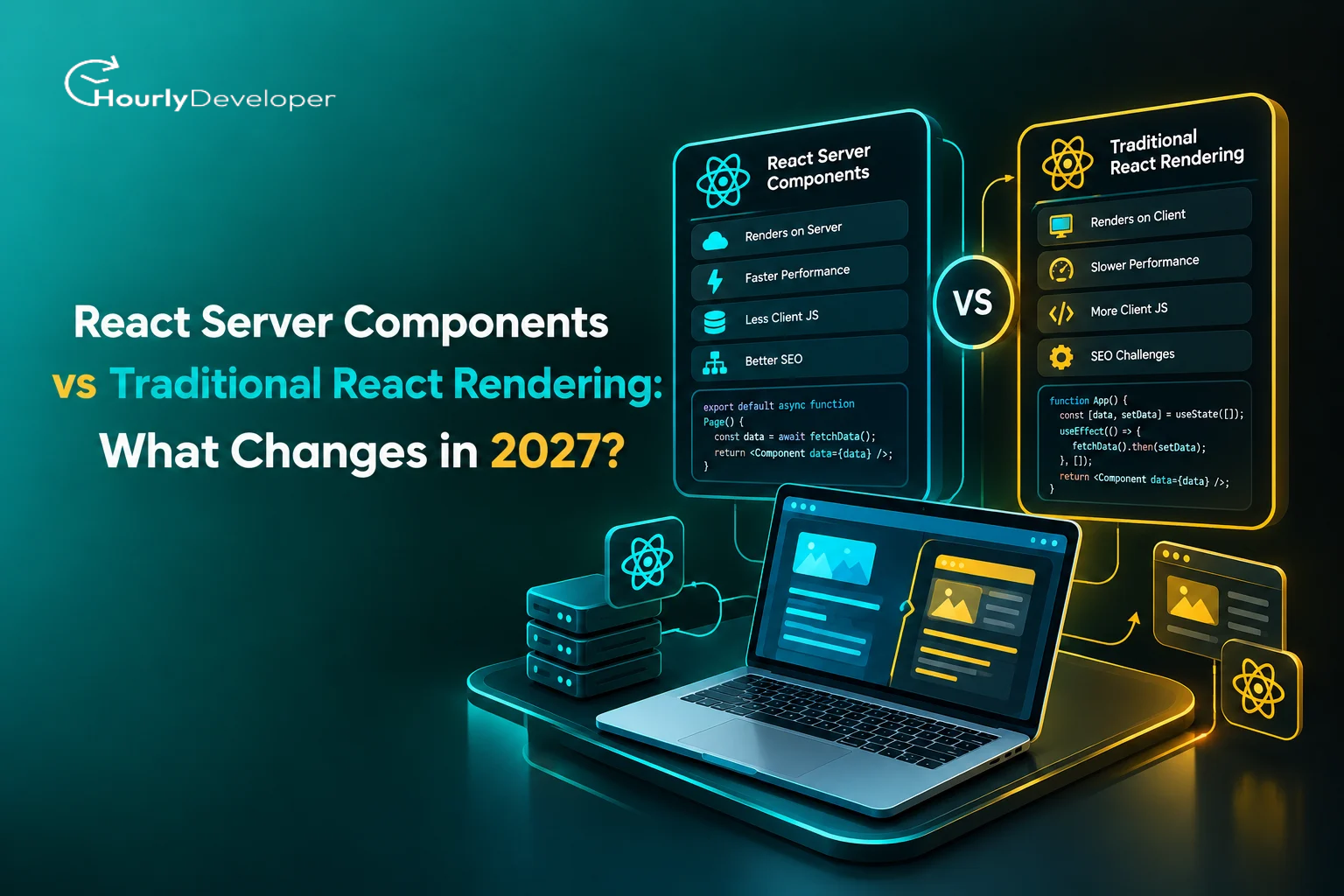
React Server Components vs Traditional React Rendering: What Changes in 2027?
1. Why React rendering is changing in 2027
The median mobile web page loaded 558 KB of JavaScript in 2024, up 14% from the year before, according to the HTTP Archive's 2024 Web Almanac. The same report found that a large share of that code never runs during page load. The Almanac's headline figure for unused JavaScript on mobile is 47%, while some write-ups of the same chapter quote 44%, so the safest reading is "a little under half."
Much of that weight comes from how React apps have been built for the last ten years. The browser downloads a big bundle of JavaScript, and React builds the whole page on the visitor's phone or laptop.
That gives smooth, app-like pages, but cheap phones and slow networks pay for it: the device must run all that code, then ask the server for data.
React Server Components (often shortened to RSC) answer a simple question: why send code to the browser if its only job is to fetch data and turn it into HTML? With RSC, some components run only on the server. Their output travels to the browser, but their code does not.
The React team first previewed the idea in December 2020. Next.js made it the default in its App Router, stable since May 2023. React 19, stable in December 2024, brought Server Components into stable React, and Next.js 16 (October 2025) reworked caching around them.
Adoption is real but uneven. The 2025 Stack Overflow Developer Survey puts React use at 44% of all respondents (summaries counting only professional developers report about 47%). In the State of React 2025 survey, 45% of respondents had used Server Components, yet Server Components and Server Functions ranked third and fourth among the most disliked React features. Teams are using the model while still learning to use it well.
So any honest look at React Server Components 2027 starts with one practical question: which parts of an app should run on the server, which in the browser, and where should the line sit?
2. React Server Components vs traditional React rendering: the core difference
"Traditional React rendering" here covers two setups. One is client-side rendering, where a single-page app built with Vite (or Create React App, officially sunset in February 2025) sends a nearly empty HTML page plus a JavaScript bundle. The other is classic server-side rendering (SSR), where the server produces HTML for the first view, but the browser still downloads and re-runs the code for every component.
The thing both setups share is that every component's code ends up in the browser.
React Server Components break that rule. A Server Component runs on a server, at build time or per request. It can read a database or call internal services, then sends its finished output to the browser in a compact format called the RSC payload. The browser gets the result, never the source.
When people compare React Server Components vs traditional React rendering, the word "client" causes the first confusion. In frameworks like Next.js, Client Components are also rendered to HTML on the server for the first load, then come alive in the browser.
Component type
Where it runs
Does its code reach the browser?
Server Component
Server only (at build time or per request)
No
Client Component
Server for the first HTML, then the browser
Yes
Shared component (uses no server-only or browser-only features)
Wherever it is imported from
Only if a Client Component imports it
Traditional React is browser-centered: the browser runs the UI and asks the server for data. RSC apps are split: the server builds most of the page next to the data, and the browser handles the parts people click and type into.
Traditional React
RSC-based React
Who builds the page
The browser, using a full JavaScript bundle
The server for most parts, the browser for interactive parts
How data arrives
Browser calls APIs after the code loads
Server reads data before sending the page
What the browser downloads
Code for every component
Code only for Client Components, plus rendered output
Typical stack
Static host plus a separate API
A server or serverless runtime that runs React
3. How traditional React rendering works
3.1 Component execution in the browser
In a client-rendered app, the browser downloads the JavaScript bundles, React runs every component, and the page appears. When a click or new data arrives, React re-runs the affected components and updates only what changed.
All state lives in the browser. A cart count, an open menu, or search box text is held in memory on the user's device, and event handlers (functions that run on clicks or key presses) update it.
3.2 Data fetching
Because the components run in the browser, they fetch their own data, usually through API calls inside useEffect or a library like TanStack Query (which 68% of State of React 2025 respondents said they use). Each component then needs a loading state, an error state, and a success state.
Two problems grow with the app. The first is the request waterfall: a page fetches the user, then a child fetches that user's orders, then a grandchild fetches order details. Each step waits for the last, and each is a full trip across the network. On a mobile connection with a few hundred milliseconds per trip, three nested fetches can add close to a second.
The second is duplicated fetching, where two components request the same data. Libraries fix much of this, but the fix lives in the browser bundle.
3.3 Bundle and hydration costs
Every imported library ships to the browser too. SSR shows the first view sooner but adds a step called hydration. The page looks finished, then the browser downloads the JavaScript, runs every component again, and attaches event handlers. Until that ends, a button can look ready and still ignore taps, which is where many "this site feels broken" complaints on low-end phones come from.
3.4 Where traditional rendering still works well
The classic model still fits apps where almost everything on screen reacts to the user:
▪ Design tools, whiteboards, and editors
▪ Internal dashboards behind a login, where search ranking does not matter
▪ Games, music tools, and video editors that run heavy logic locally
4. How React Server Components change the rendering model
4.1 Components that execute only on the server
A Server Component can be an async function that waits for a database query and returns markup. The query, connection string, and helper libraries stay on the server. Someone opening developer tools sees the rendered product list, never the pricing rules behind it, and a heavy library like a syntax highlighter runs on the server and sends only its result.
Importing the small server-only package at the top of a file makes the build fail if a Client Component ever imports it, instead of quietly shipping that code.
4.2 Less client-side JavaScript
Code for anything that only displays information can stay on the server: article bodies, product descriptions, footers, and most layout. The browser still receives the React runtime, every Client Component's code, the CSS, and the RSC payload.
That payload is why RSC does not mean "no JavaScript." On first load, the server sends HTML and also embeds the payload so React can connect the pieces. Data passed into Client Components is sent twice, once in each. A page passing a 300-item review list into an interactive widget pays for those reviews twice, so pass only what the widget needs.
4.3 Server-to-client component boundaries
In an RSC app, components are Server Components by default. A file becomes a Client Component entry point when it starts with the "use client" directive:
"use client";
export default function LikeButton({ initialCount }) { ... }
The directive marks a boundary: everything that file imports becomes browser code too, so one directive on a large shared file can pull a whole section of the app into the bundle.
Server Components can render Client Components and pass them props. Those props must be serializable, which means React has to be able to turn them into text and rebuild them on the other side. Strings, numbers, plain objects, arrays, Dates, Maps, Sets, Promises, and JSX all work. Regular functions and class instances do not. The one exception for functions is a Server Function, marked with "use server", which the browser can call like a normal function while it actually runs on the server.
A useful trick: a Client Component can accept Server Components as children, so a collapsible sidebar handles open and close state while its content stays server-rendered.
4.4 Rendering and streaming
With streaming, the server sends the page in pieces instead of waiting for every query. Parts wrapped in a Suspense boundary show a fallback, such as a gray placeholder, and the real content arrives in the same response when ready.
This changes how data gaps behave. If a product page gets prices from one service and reviews from another, a slow reviews service no longer delays the price and "Add to cart" button. If it fails, an error boundary shows "Reviews are unavailable right now" while the rest of the page works.
5. RSC vs traditional React: side-by-side comparison
The table below sums up the practical differences in React Server Components vs traditional React rendering. Several rows say "potentially" because results depend on how an app is built.
Area
Traditional React rendering
React Server Components
Component execution
Mostly in the browser, depending on setup
Split between server and browser
JavaScript shipped
Generally higher
Potentially lower
Data access
Through APIs called from the browser
Direct access to server resources
Interactivity
Strong everywhere
Handled by Client Components
Hydration
Covers the whole app in typical SSR setups
Limited to Client Components
Bundle size
Grows with every dependency
Server-only libraries stay off the bundle
SEO
Depends on the rendering strategy
Server-rendered HTML by default
Security boundary
More logic can end up in the browser
Server-only logic stays on the server
Caching
Browser, API, or library level
Server and framework caching per component or function
Architecture
Browser-centered
Server and browser composed together
Server needed
Static hosting can be enough
Needs a runtime for per-request rendering
6. What changes for data fetching in 2027?
Data fetching is where RSC feels most different. A Server Component can await a database query and render the result, with no useEffect, no first-render loading flag, and no public endpoint built only for the page. A classic product page might need an endpoint, a fetch hook, a spinner, and an error handler; the RSC version reads the product table directly.
Waterfalls still exist; they move into the data center. Nested awaits still run one after another, but each trip often takes milliseconds instead of crossing a mobile network. To stay parallel, start independent queries together with Promise.all, or start a query in a parent and pass the Promise down for a child to read with React's use API.
React's cache function removes duplicate calls within one request. Across requests, frameworks add their own layer: Next.js 16 made caching opt-in through a "use cache" directive, after earlier versions cached some fetches by default and confused many teams. Cached content refreshes on a timer or on demand through calls like revalidateTag or updateTag.
Writes go through Server Functions: a form calls a "use server" function, the server updates the database, and fresh UI comes back. Hooks like useActionState and useOptimistic handle pending states.
Plan for conflicting signals: a cached page says "3 in stock" after another shopper bought the last three. When your user clicks "Buy," the Server Function must re-check stock at the moment of the write. Cached reads are fine for display and wrong for deciding purchases, payments, or permissions.
An API endpoint is still the right tool when:
▪ A mobile app, partner, or third-party service needs the same data
▪ An outside system sends webhooks to your app
▪ The browser must poll or subscribe to live data after the page loads
▪ You offer a public API as part of the product
Task
Who handles it in an RSC app
First-load data for display
Server Components
Updates after a user action
Server Functions, then refreshed server output
Live data (chat, prices, presence)
Client Components with WebSockets or polling
Data for other apps and partners
Regular API routes
7. What happens to Client Components?
A common misunderstanding is that RSC replaces client-side React. In practice, it only narrows where client-side React is needed.
7.1 When a Client Component is required
Use a Client Component whenever a piece of UI needs any of the following:
▪ State that changes in the browser, through useState or useReducer
▪ Effects that run after rendering, through useEffect
▪ Browser APIs such as localStorage, geolocation, or the clipboard
▪ Event handlers like onClick or onChange
▪ Interactive widgets such as carousels, dropdowns, and drag-and-drop lists
▪ Live subscriptions to sockets or real-time services
7.2 The cost of overusing Client Components
Each "use client" boundary pulls its file and imports into the bundle. Mark a top-level layout as a Client Component and you have rebuilt a single-page app with extra steps: a bigger bundle, more hydration, and two code paths to maintain.
7.3 Finding the right server/client boundary
The pattern that works is "server outside, client at the leaves." Keep pages, layouts, and data-heavy sections on the server, and push only interactive bits to the client: the "Add to cart" button rather than the product page.
8. Performance: what actually improves with RSC?
"RSC is faster" is too broad to be useful. Performance has several parts, and RSC moves each one differently.
Performance dimension
What usually improves
What can get worse
JavaScript bundle
Server-only code and libraries leave the bundle
Grows again if "use client" spreads widely
Initial page load
HTML arrives with data already in it
Slower if the server waits on slow queries before streaming
Time to interactive
Less code to download and run
Unchanged for heavy Client Components
Hydration work
Only Client Components hydrate
Large props passed to clients add payload weight
Server response time
Data access is close to the database
Rendering now costs server CPU on every uncached request
Perceived speed
Streaming shows useful content early
Too many Suspense boundaries create flickering layouts
Network requests
Fewer browser-to-API round trips
Each navigation fetches a new RSC payload
The trade-off at scale is the server. In a single-page app, rendering is spread across visitors' devices. In an RSC app it runs on your servers, so a sale or viral post pushes server CPU up as sharply as database load.
Streaming keeps each connection open until its slowest Suspense boundary finishes, so one slow service can tie up capacity. Caching has its own failure mode: when a popular cached page expires, hundreds of requests may rebuild it at once and hit the database together. Background refresh and timeouts on every outside call help.
The useful mental model for React Server Components 2027 is a trade: browser work you cannot control becomes server work you control and pay for. It pays off most on slow devices and pages that mostly display data.
9. Security and data privacy implications
RSC gives secrets a cleaner home. Database credentials and API keys can live in Server Components and never touch the browser. In Next.js, only environment variables starting with NEXT_PUBLIC_ reach browser code.
It is not automatically secure, and late 2025 proved it. On December 3, 2025, the React team disclosed CVE-2025-55182, nicknamed React2Shell, a flaw in how React decoded requests to Server Function endpoints. Rated the maximum CVSS 10.0, it let attackers run code on the server without logging in, even in apps that never wrote a Server Function but supported Server Components. Patched versions (19.0.1, 19.1.2, 19.2.1) shipped the same day. On December 11, the team disclosed a denial-of-service bug (CVE-2025-55184 and CVE-2025-67779, rated 7.5) and a source code exposure bug (CVE-2025-55183, rated 5.3) that could leak Server Function source, including hardcoded secrets.
Three lessons follow for 2027:
▪ Treat every Server Function as a public HTTP endpoint and check permissions inside the function itself, as well as on the page that shows the button.
▪ Keep secrets in environment variables or a secrets manager, never written directly into code.
▪ Watch React and framework security advisories and patch quickly.
Accidental boundary crossing is the quieter risk. Pass a full user record to a Client Component and every field, including emails and internal flags, lands in the page source. React has experimental "taint" APIs to block specific objects, but the dependable habit is to pass a small object with only the fields the browser needs.
10. How RSC changes React application architecture in 2027
The traditional chain runs from the browser to React, to an API, to the backend, to the database. The API exists mainly so the browser can reach the data.
In React Server Components architecture in 2027, the chain splits. Server Components sit next to the backend and data sources, rendering most of the page. Client Components branch off toward the browser to handle interaction. The API layer gets thinner for the web app itself, though it often stays for mobile apps and partners.
The RSC server acts like a backend-for-frontend (BFF), a layer built to serve one front end, and often absorbs an existing BFF's work.
Deployment changes too. A client-rendered app can sit on any static host, while an RSC app needs a runtime that executes React per request: a Node.js server, a serverless platform, or an edge network. Pages that do not change per user can still be built ahead of time as static files.
Frameworks matter more now. Next.js has the most mature support, React Router offers RSC through APIs marked unstable, and Waku, Parcel, and Vite plugins have their own versions.
11. What changes for React developers?
The job shifts from building components to designing a UI split across two machines. A React developer in 2027 needs a working grasp of these areas:
Skill area
Why it matters now
Server/client boundaries
Sets bundle size and security exposure
Rendering strategies
Static, streamed, and cached output behave differently
Network behavior
Round trips now span server and browser
Caching
Wrong rules show stale or private data
Data fetching
Query design now shapes page speed
Streaming
Decides what users see first
Authentication
Every Server Function needs its own checks
Server performance
Rendering cost lands on your servers
Bundle analysis
Finds a stray "use client" pulling in a big library
Framework conventions
Directives and cache APIs differ by framework
This is closer to full-stack work, and it changes hiring. When you hire React developers for an RSC project, ask candidates where they would place the server/client boundary on a sample page, and how they would stop a cached page from showing one user's data to another.
12. Common RSC architecture mistakes to avoid in 2027
These mistakes show up repeatedly in teams moving to the new model:
1. Making everything a Client Component, often because a third-party library breaks on the server and "use client" is the quickest fix.
2. Using "use client" in a component that only formats a date.
3. Passing whole database records or private fields into Client Components.
4. Building an internal API just so Server Components can call it, adding a pointless network hop.
5. Putting permission checks, pricing logic, or secret keys inside Client Components, where anyone can read them.
6. Ignoring caching, which leads to stale data or a database hit on every request.
7. Assuming server execution is always faster. A slow query still blocks the page, only from somewhere else.
8. Mixing static, dynamic, and cached rendering on one page without knowing which part triggers which mode.
One edge case catches many teams: a header that says "Hi, Priya" gets cached with the page, and the next visitor sees Priya's name. Good React Server Components architecture in 2027 keeps per-user pieces in their own dynamic or client-side sections, separate from shared cached content.
13. When traditional React rendering still makes more sense
RSC is not a universal replacement. The classic model fits better for:
▪ Highly interactive apps like Figma-style design tools
▪ Browser-first and offline-first apps that must keep working with no signal
▪ Real-time interfaces such as trading screens and multiplayer tools, driven mainly by sockets
▪ Complex visualization tools that render thousands of moving data points
▪ Apps whose logic belongs in the browser, such as image editors
Here the server has little to render, and every round trip adds delay. A sensible React Development Company will say so upfront rather than push a new architecture onto a product that gains nothing from it.
14. When React Server Components are the better choice
The new model pays off when most of the page is information rather than interaction:
▪ Content-heavy sites such as blogs, news, documentation, and marketing pages
▪ E-commerce, where product pages need fast first loads and good search ranking
▪ Personalized dashboards where data assembly is heavy but interaction is light
▪ Large data-driven apps that pull from many internal services
▪ SEO-sensitive pages that need full HTML on first response
▪ Products used mostly on low-end phones, where less client JavaScript matters most
If your roadmap fits this list and your team has little server experience, outside help for the first project can save time. Companies that hire React developers with past RSC work spend less time undoing early boundary mistakes.
15. RSC vs traditional React: decision framework for 2027
Mature RSC support, such as the Next.js App Router
Use it page by page. One app can use both models.
16. What this means for new React projects in 2027
Should RSC be the default? For content sites, stores, and data-heavy SaaS products on a framework with mature support, it is a reasonable starting point, and Next.js already treats every component as a Server Component unless told otherwise. For an offline tool or browser-based editor, a client-rendered app is still sound.
Adopt an RSC framework when you need server rendering, search visibility, or direct data access, and can run a server in production. Wiring RSC into a bundler yourself is possible, but few teams gain from it.
For teams planning React Server Components 2027 rollouts, structure matters from day one. Decide which folders hold server-only code, mark them with the server-only package, and keep Client Components small. Draw boundaries before features pile up, because untangling data access from click handlers later takes real work.
Plan for scale too: set timeouts on outside calls, decide what gets cached and how it refreshes, and test what happens when a data source is slow or down. Those choices decide performance more than the framework does. A React Development Company that has shipped RSC apps before can usually spot boundary problems in an architecture review before a single feature is built.
17. Final verdict: what really changes in 2027?
Traditional React is not going away. Single-page apps still power design tools, dashboards, and offline apps.
What changes is where code runs. Server Components move data-heavy parts of the UI onto the server. The syntax barely changes, while the architecture changes a lot, and server/client boundaries now belong in the planning stage.
Performance depends on how RSC is implemented. A well-split app can ship far less JavaScript, while a badly split one can be slower than the single-page app it replaced, with higher server bills.
The future React stack is a hybrid. React Server Components architecture in 2027 will mix static pages, cached server output, streamed sections, and Client Components on the same screen. Teams that treat that split as a design decision, whether in-house or with a React Development Company, will get the most out of it.
Nikhil Patel, our dynamic Director, charts our course with innovative fervor and strategic acumen. With a sharp eye for opportunity, he steers our company's ascent with resolute determination. Nikhil's empathetic leadership unites us, igniting a collective drive for greatness and propelling us toward boundless success.
Frequently Asked Questions
No. RSC is a React feature, but it needs a framework or bundler to run the server, split the code, and route requests. Next.js has the most mature support, with React Router, Waku, and others offering their own versions.
No. Client-rendered React apps still work in React 19 and are fully supported. You can move gradually, page by page, if you choose to adopt Server Components later.
They are related but different. SSR turns components into HTML for the first view, but all their code still ships to the browser. React Server Components run only on the server and never send their code to the browser. Most RSC frameworks use both together.
They keep secrets and database code off the browser, but they also add server endpoints. The December 2025 vulnerabilities showed that RSC apps need fast patching and permission checks inside every Server Function.
When you hire React developers for this kind of work, look for experience with server/client boundaries, caching, streaming, and authentication, plus comfort with databases and server performance. Ask them to explain where they would draw the boundary on a real page from your app.
Find exceptional developers at Hourlydeveloper. Get the expertise, solutions, and teamwork you need for success. Hire developers easily and boost your projects today!
 Back to Blog