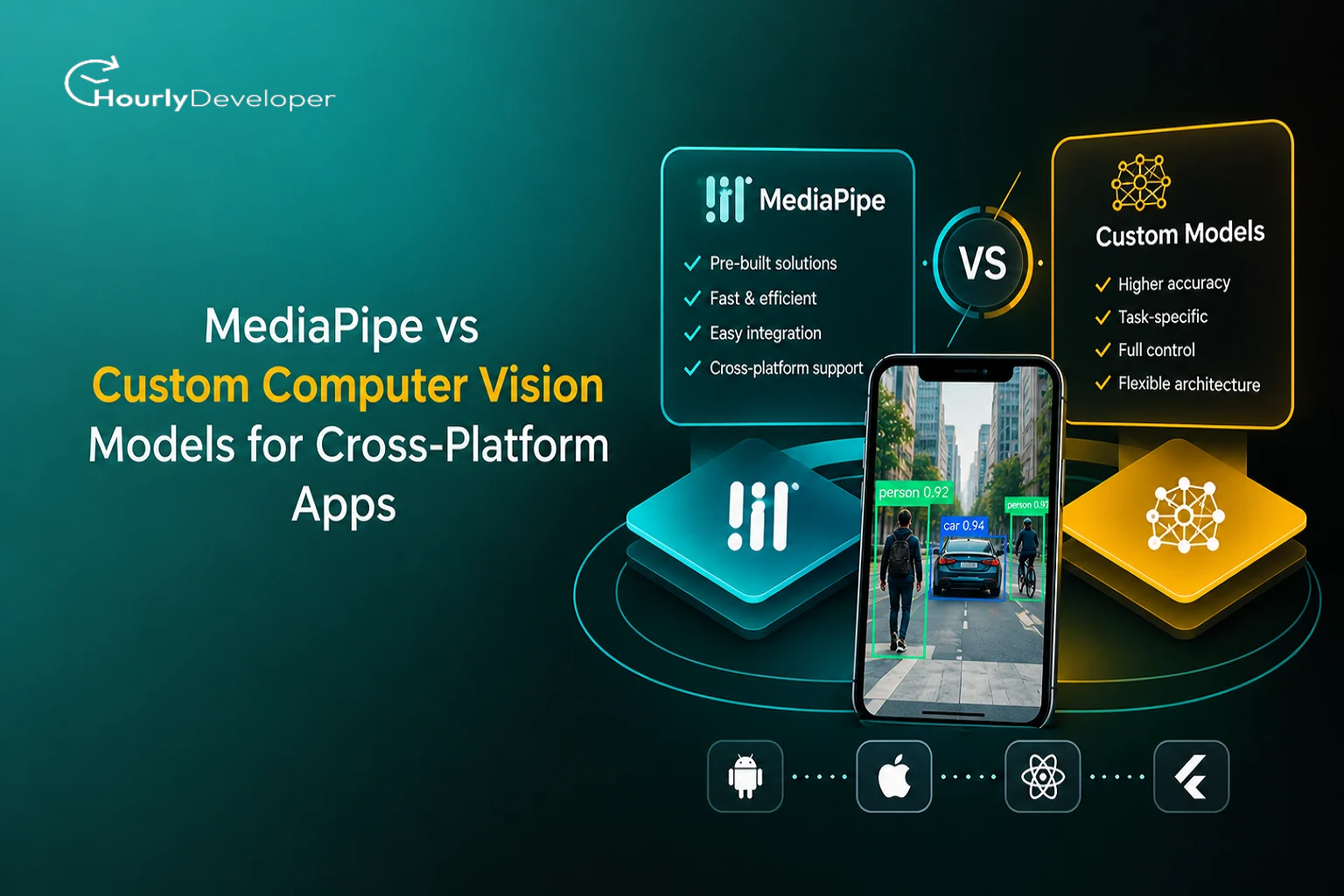
MediaPipe vs Custom Computer Vision Models for Cross-Platform Apps
Here is something most tutorials haven't caught up with yet. MediaPipe Model Maker, the Google tool that plenty of tutorials still recommend for customizing MediaPipe models, now carries a "deprecated" label on Google's own documentation page. It still works. Google simply says it is no longer actively maintained.
That one label changes the math for a lot of teams. For years, the standard advice went like this: start with MediaPipe, and if the built-in models don't fit, retrain them with Model Maker. The second half of that plan now rests on a tool with no active maintenance. So the old question comes back with more weight. Do you stay inside MediaPipe's ready-made models, or do you train your own?
This guide is for the people who have to make that call: founders, product leads, developers, and teams adding camera features to an app that runs on Android, iOS and the web. It covers MediaPipe vs Custom Computer Vision Models from every side that matters in practice: what each one is, three realistic app examples, the five ways vision features break in the real world, the costs people forget to budget, and how to build the team.
Two ways to give an app eyes
Option one: MediaPipe
MediaPipe is a free, open-source toolkit from Google that runs machine learning directly on a phone, laptop or browser. Nothing has to be sent to a server, which keeps video private and keeps working without an internet connection once the model is on the device.
It comes with ready-made "tasks" for vision. Each one is a trained model plus the code to feed it images. You get face detection, face landmarks (478 points on a face), hand landmarks (21 points per hand), pose landmarks (33 points on the body), gesture recognition, object detection, image classification and image segmentation, which means cutting a person out from the background. Google supports these on Android, iOS, the web and Python, and that wide platform coverage is why MediaPipe shows up early in almost every Cross-Platform AI App Development plan.
Option two: a custom model
A custom model is one your team trains on your own images for your own job. Someone collects photos or video, people label them (marking what each image shows), and an engineer trains a model, tests it, shrinks it to fit on a phone, and ships it. On phones, that model usually runs through LiteRT, which Google renamed from TensorFlow Lite in September 2024, or through Apple's Core ML.
The amount of work depends heavily on the problem. Retraining the last layers of a public model on a few hundred photos is a small project. Building a model for medical images or factory defects from a large dataset is a big one.
The scorecard, at a glance
Before the details, here is how the two options compare on the things founders usually ask about first. This scorecard is the quickest summary of MediaPipe vs Custom Computer Vision Models you will find in this guide.
Question
MediaPipe
Custom model
How fast can we show a demo?
Very fast. Google's sample apps run in days
Slow. Data collection alone can take weeks
Do we need our own data?
No, for the built-in tasks
Yes, and it must cover your real conditions
Will it work on all our platforms?
Officially on Android, iOS, web and Python
Only on the platforms you convert and test it for
Can it learn our special objects?
Only through limited retraining, with a tool now marked deprecated
Yes, that is the main reason to build one
Can we fix it when it fails?
Partly, through settings and thresholds
Yes, by adding data and retraining
Who keeps it up to date?
Google
Your team, for as long as the feature exists
What does it cost to run?
Nothing per user, since phones do the work
Nothing per user on device; real server bills if run in the cloud
What is the biggest risk?
A quality ceiling you can't push past
Months of work before you learn whether it works
What the market data says, and where it disagrees
Numbers help explain why so many teams are wrestling with this choice right now. A few figures from named sources:
● Grand View Research, in an October 2024 report, expects the global computer vision market to reach USD 58.29 billion by 2030, growing about 19.8% a year from 2025.
● Allied Market Research puts the same market at USD 41.11 billion by 2030. That is a gap of more than USD 17 billion between two firms describing the same thing.
● For on-device AI, Grand View Research estimates the edge AI market at USD 24.91 billion in 2025. BCC Research puts it at USD 11.8 billion for the same year.
● Google said in September 2024 that TensorFlow Lite, now LiteRT, had been used in more than 100,000 apps running on about 2.7 billion devices.
● The World Economic Forum's Future of Jobs Report 2025 lists AI and machine learning specialists among the three fastest-growing jobs for 2025 to 2030.
The hiring figure is the one that will touch your project directly. When companies of every size are trying to hire AI developers at the same time, a small startup competes with big firms for the same people. That pressure is a real argument for starting with MediaPipe: it lets a regular mobile team ship a first version while you look for specialist help.
Three apps, three different answers
Abstract comparisons only go so far. Here is how the MediaPipe vs Custom ML Models decision plays out for three realistic products.
App A: a shelf-checking tool for retail field staff
A consumer goods company wants its sales reps to photograph store shelves and see instantly which of its 60 products are missing or misplaced. MediaPipe's default object detector was trained on COCO, a public collection of everyday objects such as people, bottles, chairs and dogs. It can spot "a bottle." It cannot tell your mango juice from a competitor's orange juice in a similar carton.
Verdict: custom model. The whole value of the app sits in fine differences between packages, and the product range changes every season. The company needs a model it can retrain whenever new packaging arrives.
App B: a sign-language practice app for beginners
A startup wants learners to practice basic signs while the app checks their hand shapes. MediaPipe's gesture recognizer knows exactly seven gestures out of the box: closed fist, open palm, pointing up, thumbs down, thumbs up, victory, and "I love you." That covers almost nothing of a real sign vocabulary.
But MediaPipe's hand landmarker still does the hardest part well: finding 21 points on each hand in real time. The startup can train a small custom model that reads those 21 points and decides which sign the learner is making.
Verdict: hybrid. MediaPipe finds the hand, and a custom model reads the shape. This needs far less data than training on raw images, because the custom model looks at a few dozen numbers instead of a full picture.
App C: gesture shortcuts and background blur for an office video tool
An internal tools team wants employees to blur their background on calls and raise an open palm to mute. Both features match MediaPipe's built-in tasks almost exactly: segmentation for the blur, and the open palm gesture for muting.
Verdict: MediaPipe. A custom model would add months of work for little gain. The team's effort is better spent on testing across the laptops and phones employees actually use.
Inside the engine: five ways vision features break
Demos run in good light, with one cooperative person, on a fast phone. Real use has none of those. These five problems account for most of what goes wrong after launch, and each one plays out differently depending on which route you chose.
1. Data gaps
A model can only recognize what it saw during training. MediaPipe's models were trained by Google on data you can't inspect, and for the landmark models (face, hand and pose) there is no supported way to retrain them with your own examples. Model Maker only covers tasks such as object detection, image classification and gesture recognition.
So if your users include toddlers, wheelchair users, people wearing gloves, or people filming from a low angle on a desk, you may find gaps you cannot close inside MediaPipe. A custom model can close them, but only if you collect examples of those exact situations. In both cases, the first step is the same: record real sessions from consenting test users and build a set of hard examples before you choose a route. Google's model cards, which describe each model's intended use and known limits, are a good place to see where the gaps are likely to be.
Custom models have a data gap of their own that people rarely mention: the labels. If two people label the same blurry photo differently, the model learns that confusion. Before training, have two labelers mark the same small batch of images and compare their answers. Where they disagree often, your instructions need to be clearer, or the category itself is too fuzzy to teach.
2. Conflicting signals
Many apps run more than one model, and they can disagree. MediaPipe's gesture recognizer itself shows how one tool handles this. If you add your own custom gestures next to the seven built-in ones and both recognize something, Google's documentation says the recognizer prefers the custom gesture.
Your app needs similar rules of its own, written before launch. What should a fitness app do if the pose model says the person is standing but its confidence scores for the legs are low because a sofa hides them? What should an ID check do if it finds two faces, one of them on a poster? Good answers usually involve waiting for several frames in a row to agree, or showing a short message asking the user to move. A custom model can also be trained with an "unsure" category, so it says so instead of guessing.
3. Real-time decisions
At 30 frames per second, every step for one frame has to finish in about 33 milliseconds. MediaPipe saves time with a smart trick. In video and live-stream modes, its hand tracking doesn't search the whole image on every frame. It follows the hand from where it was last time, and only runs the slower full search (hand detection) when tracking fails.
That design is fast most of the time, but it explains a strange behavior users notice: when someone moves their hand very quickly or it leaves the frame, there is a brief stutter while the app finds it again. If your feature reacts to fast motion, test for that pause. With a custom model, you make these speed choices yourself, often using quantization, which stores the model's numbers in a smaller format so it runs faster with a small drop in accuracy.
There is also a simpler question many teams skip: does the app need a fresh answer on every frame? A rep counter can often run the model on every second or third frame and fill the gaps by smoothing, which saves battery and leaves room for older phones. A feature that has to react the moment a hand moves cannot cut corners this way.
4. Exceptions and edge cases
These rarely appear in testing and constantly appear in app store reviews:
● Mirrored front cameras swapping left and right hands.
● A face on a TV in the background being treated as a second user.
● Strong window light behind the user turning them into a dark outline.
● Users far from the camera. MediaPipe's short-range face model is designed for faces within about 2 meters; its full-range model handles up to about 5 meters.
● The phone rotating halfway through a session.
● No hand or face in view at all, in which case MediaPipe simply returns an empty result, and your app must decide what to show.
For each one, decide in advance: ignore the frame, warn the user, or switch to a simpler mode. Write it down. When Hiring Computer Vision Developers in 2027, ask candidates to list the edge cases they would expect for your feature. People with real shipping experience start listing them immediately.
5. Behavior under pressure and at scale
Running on the device means your server bill doesn't grow with users, which is a big advantage. But scale on phones brings different trouble. Long sessions heat the phone, and the system slows the chip to cool it, so a workout app that runs smoothly for five minutes may drop frames after fifteen. Thousands of different Android devices mean thousands of different cameras and chips. Users who don't update the app keep running old models, so two people can get different results from the same scene. And each model adds to your app's download size, which is why many teams download models on first use.
Downloading models separately also opens a useful option: you can update a model without shipping a new app version. If you do this, roll the new model out to a small share of users first and compare their confidence scores and error reports against everyone else before releasing it widely. A model update can break a feature just as easily as a code change.
Running a custom model on servers flips these problems. You get consistent hardware, but every new user costs money, network delays slow responses, and busy hours can overload your system. Sending video to a server also brings privacy duties, especially for faces. This is why teams that hire mobile app developers with performance experience often save more than they spend: heat, memory and frame drops are mobile engineering problems first and AI problems second.
Problem
What users notice
What to build
Data gaps
The app works for some people and not others
A hard-case test set from real users
Conflicting signals
Flickering or contradictory results
Rules for which signal wins, plus multi-frame checks
Real-time limits
Lag, or a pause after fast movement
A 33 millisecond budget per frame, tested on cheap phones
Edge cases
Odd results in unusual rooms or poses
A written list of cases and planned responses
Scale and pressure
Slowdowns in long sessions, uneven results across devices
Heat testing, model versioning and anonymous performance monitoring
Myths worth dropping
A lot of bad decisions in the MediaPipe vs Custom ML Models debate come from a few common beliefs. Here is how they hold up.
Myth
Reality
A custom model is always more accurate
Only on the conditions it was trained for. On everyday scenes, MediaPipe's models are hard to beat without a large dataset
MediaPipe is only for prototypes
Production features such as background blur and basic gesture controls can run on it well, long after launch
On-device AI is free
There is no server bill, but you pay in testing, app size, battery and support across many devices
Model Maker solves customization
It helps for some tasks, cannot retrain landmark models, and Google now marks it deprecated
Cross-platform means build once
The model may be shared, but camera code and testing still happen per platform
The cross-platform part nobody budgets for
Cross-platform frameworks such as Flutter and React Native are popular for good reason. Statista's 2023 developer survey found 46% of developers using Flutter and 35% using React Native. But camera-heavy AI features are where these frameworks feel their limits, and this is the part of Cross-Platform AI App Development that tends to blow up schedules.
Here is where support stands today:
● Android and iOS have official MediaPipe libraries, and they are the most reliable path.
● The web version runs on WebAssembly, a format that lets browsers run fast compiled code. Speed varies a lot between a new laptop and an old office PC.
● Google's flutter-mediapipe project exists, but its packages have asked developers to use Flutter's master channel and switch on an experimental setting, which most production teams avoid.
● There is no official React Native package from Google. Teams use community wrappers or write their own native modules.
In practice, the most reliable setup keeps the camera and the model in native Android and iOS code, then passes only the results to the shared app layer. A set of 21 hand points is tiny. A full camera image is huge. Sending images back and forth between native code and the framework is a common cause of lag.
Custom models add another layer. A model trained once may need converting into a LiteRT file for Android, a Core ML file for iOS, and a web format. Each conversion can shift results slightly, so each needs its own test run. If your feature only needs standard tasks like barcode scanning or text recognition, it is also worth checking Google's ML Kit or Apple's Vision framework before you commit to either route. Teams that hire mobile app developers who have shipped camera features on both platforms get through this stage much faster.
Planning the build: a phased route
Most teams don't need to choose one side forever. A phased plan lets the data decide.
Step 1Prototype with MediaPipe. Use the closest built-in task and get a working version on your main platform within a couple of weeks.
Step 2Measure on hard cases. Run the prototype against real recordings from your users, and note exactly where it fails and how often.
Step 3Patch with a hybrid. Where MediaPipe finds the body, hand or face but your decision is specific, train a small model on its landmark points.
Step 4Replace only what still fails. Build a full custom model only for the parts where MediaPipe cannot see what you need.
Step 5Monitor after launch. Track confidence scores, frame rates and failure messages anonymously, and plan regular retraining for anything custom.
This route keeps your launch date safe and spends AI budget only where it clearly pays off. It also makes hiring easier, because you can start with your existing mobile team and hire AI developers for steps three and four, once you know exactly what problem they are solving. For Cross-Platform AI App Development on a startup budget, this order of work is usually the safest.
TAKEAWAYS
◆ Stay with MediaPipe when your feature involves ordinary bodies, hands, faces or everyday objects.
◆ Go custom when your value lies in your own products, your own users or specialist images.
◆ Go hybrid when MediaPipe finds the thing but your decision about it is unique to your app.
◆ Budget for per-platform camera work and low-end device testing, whatever model you use.
◆ Plan for life after launch, because on-device models fail quietly.
Building the team
A vision feature usually needs three kinds of skill: mobile engineering that understands native camera code, machine learning that has run models on real phones, and data work to collect and label images. One person rarely covers all three well. Many startups hire mobile app developers first, since the camera pipeline is needed whichever model you pick, and bring in machine learning help once the prototype shows where MediaPipe falls short.
When Hiring Computer Vision Developers in 2027, these questions separate experience from polish:
● "Walk me through how a camera frame gets to the model and back to the screen in an app you shipped."
● "What did you do the last time a model worked in testing and failed with real users?"
● "How would you keep a hand-tracking feature smooth on a budget Android phone?"
● "How do you check that a model converted for iOS gives the same results as the Android version?"
● "Model Maker is now marked deprecated. What would you use instead for our retraining needs?"
If you plan to hire AI developers through an agency or freelance platform, ask to meet the actual engineers, and ask to see a shipped app rather than a notebook demo.
Final word
The real lesson of MediaPipe vs Custom Computer Vision Models is that the choice can be made in stages, with evidence. MediaPipe gives you a fast, free and well-tested starting point for anything involving people and everyday scenes. A custom model gives you control when your business depends on details MediaPipe was never trained to see. The deprecation of Model Maker makes it more important to know early which side of that line your feature sits on.
Start small, test on real users and cheap phones, and add custom pieces only where the evidence says you must. When Hiring Computer Vision Developers in 2027, give extra weight to people who talk about edge cases, device testing and monitoring, because those are the things that decide whether a vision feature still works six months after launch.
Ravi Patel, the dynamic Director at the helm of our team's journey towards excellence. Fueled by boundless creativity and a knack for seizing opportunities, Ravi propels our company forward with resolute determination. His strategic acumen and compassionate guidance empower us to reach unprecedented heights as a cohesive unit.
Frequently Asked Questions
Yes. MediaPipe runs its models on the device, so once the model files are on the phone or loaded in the browser, it can process camera frames offline. Your app only needs a connection if you choose to download models after install.
Yes, and some apps do. You might use ML Kit for barcode scanning, Apple's Vision framework for text on iPhones, and MediaPipe for hand or body tracking. The cost is more code to maintain and more combinations to test on each platform.
It depends mostly on data. If you already have well-labeled images, a focused model can be trained and tested fairly quickly. If you must collect and label new data, that step usually takes longer than the training itself. A prototype with MediaPipe first will tell you whether the MediaPipe vs Custom ML Models question even needs a custom answer.
Models you already trained with it keep working, because they are regular model files. The risk is in the future: bugs won't be fixed and new platforms may not be supported. For new retraining work, plan on standard training tools and convert the result to LiteRT.
Generally yes, because the images never leave the user's phone. But on-device processing doesn't remove your legal duties. Under the EU's GDPR, for example, biometric data used to identify a person is a special category with stricter rules, so check local law and get proper legal advice before launching face features.
Find exceptional developers at Hourlydeveloper. Get the expertise, solutions, and teamwork you need for success. Hire developers easily and boost your projects today!
 Back to Blog