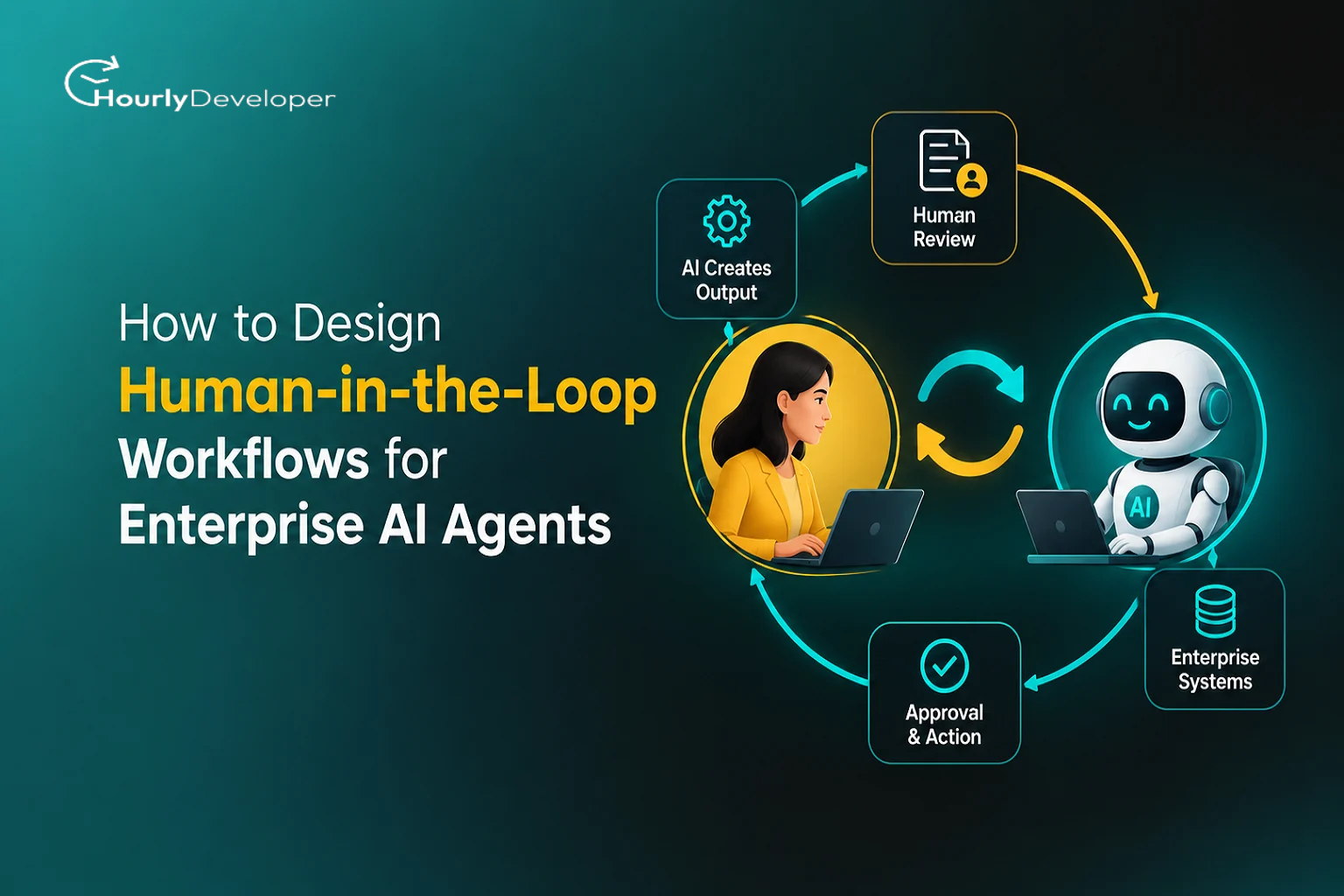
How to Design Human-in-the-Loop Workflows for Enterprise AI Agents
A finance agent at a mid-sized logistics company clears about 1,400 supplier invoices a week. It reads each PDF, matches it to a purchase order, checks the amount against the goods received, and schedules the payment. One Tuesday, it gets an invoice from a supplier the company has paid for six years. The purchase order matches. The amount is within tolerance. The only difference is the bank account number, which was changed last week after an email from someone claiming to be the supplier's accounts team.
The agent pays it. Every rule it was given says it should.
The company is made up, but anyone in accounts payable will recognize the sequence. The FBI's Internet Crime Complaint Center counts business email compromise, the scam family this belongs to, among the costliest crimes it tracks, with reported losses in the billions each year. A clerk might pause over a changed account number. An agent processing hundreds of invoices an hour has no pause unless someone designed one in.
That pause is what this article is about. Building human in the loop AI agents comes down to picking the exact moments where a person has to look, making those moments quick and useful for that person, and deciding what the agent does while it waits. Get them wrong and you end up with an agent that pays the fraudster, or one that asks permission for everything and saves nobody any time.
What an agent is, and where the human fits
A chatbot answers questions. An agent takes actions. In practical terms, an AI agent is a program built around a language model that can break a goal into steps and then carry those steps out by calling tools: sending an email, updating a CRM record, issuing a refund, creating a support ticket, running a database query. The model decides which tool to call and what to pass into it.
When a chatbot gets something wrong, someone reads a bad answer. When an agent gets something wrong, a record changes or money moves.
People who work on oversight usually describe three positions a human can take:
In the loop: the agent proposes an action and waits. Nothing happens until a person approves it.
On the loop: the agent acts on its own while a person watches a live dashboard, with the power to pause or reverse things.
Out of the loop: the agent acts and nobody checks, except perhaps in a later audit.
Most real systems mix all three. A single customer service agent might answer shipping questions with no oversight, issue refunds under $50 while someone watches the dashboard, and need approval for anything larger. Much of the design work in Enterprise AI Development is sorting actions into the right position and building the plumbing that keeps each one there.
The numbers behind the caution
Figure
What it says
Source
40%+
Share of agentic AI projects expected to be canceled by the end of 2027, mainly over rising costs, unclear business value, and weak risk controls
Gartner, June 2025
15%
Share of day-to-day work decisions expected to be made autonomously by agentic AI by 2028, up from zero in 2024
Gartner, June 2025
$52.62B
Projected AI agents market in 2030, up from $7.84 billion in 2025 (46.3% annual growth)
MarketsandMarkets
30 to 35%
Success rate researchers measured for AI agents on multi-step office tasks
Carnegie Mellon University and Salesforce research
2 Dec 2027
New date when EU AI Act human oversight duties apply to standalone high-risk systems, such as hiring and credit scoring tools
EU Digital Omnibus, Regulation (EU) 2026/1744
Step one: list every action before you write a prompt
Teams new to AI Agent Development often start with the model and the prompt. Oversight design should start somewhere duller: a spreadsheet of every action the agent can take.
For each tool the agent can call, write down four things:
Can it be undone? Editing a draft is reversible. Sending a wire transfer mostly is not.
How far does the damage spread if it goes wrong? One customer record, or every customer in a region?
Who sees the result? Internal actions carry different risk from anything a customer, regulator, or partner will receive.
What does waiting cost? Some actions can sit in a queue for a day. Others lose their value in minutes.
Most design decisions follow from that list. Here is a simple way to map actions to oversight levels.
Checkpoint matrix: matching oversight to risk
Low impact if wrong
High impact if wrong
Easy to undo
Let the agent act. Log it and audit a sample weekly.
Agent acts. A person reviews within a set window and can reverse it.
Hard or impossible to undo
Agent acts within strict limits, such as spending caps and approved recipient lists.
A person approves before the action runs.
The invoice with the changed bank account belonged in the bottom-right box. The rule the agent followed, "amount within tolerance," guarded against billing errors, and nobody had listed the bank detail change as its own action. If you take one habit from this guide on how to design human-in-the-loop workflow rules, make it this inventory.
Four oversight patterns and where each one fits
Each group of actions needs a mechanism. Four patterns cover nearly everything teams build.
Comparing the four main oversight patterns
Pattern
How it works
Good fit
Cost to speed
What tends to go wrong
Approve before acting
Agent drafts the action and pauses. A person approves, edits, or rejects it.
Payments, contract changes, anything sent to a regulator
High. Every action waits for a person.
Reviewers start rubber-stamping as volume climbs.
Escalate on exception
Agent acts alone unless a trigger fires. Then it pauses and routes the case to a person.
High-volume work with a small risky share, like refunds or claims triage
Low for normal cases, high for flagged ones
Triggers miss a new kind of risk nobody thought of.
Act, then review
Agent acts at once. A person checks within a time window and can reverse it.
Reversible work where speed matters, like ticket routing or tagging records
Almost none
Damage spreads before the review happens.
Sample audit
Agent acts. A person checks a random slice later.
Low-risk, very high-volume work, like sorting documents
None
Rare errors go unnoticed for weeks.
The second pattern is where most AI Workflow Automation projects get their savings. If 92% of cases are routine, the agent handles those alone and sends the odd 8% to a person with everything needed to decide quickly.
Deciding when the agent should stop and ask
The obvious approach is to ask the model how confident it is and escalate anything below some score. It works poorly. Language models are not reliably calibrated about their own certainty. A model can report 95% confidence on a wrong answer, and the number shifts with small wording changes. Treat it as one weak signal, never the only gate.
Stronger triggers come from outside the model:
Rule triggers are hard lines written by the business, such as any payment over a set amount or any change to bank details.
Novelty triggers fire when a case looks unlike past cases, like a vendor never seen before or a product code missing from the catalog.
Disagreement triggers fire when two independent checks reach different answers. You might run a second, cheaper model on the same extraction, or compare the agent's result with a traditional rules engine.
Pattern triggers catch actions that are fine alone but odd in context, such as the fifth refund to the same account this week.
Policy triggers fire when the agent's plan uses a tool it rarely uses for this kind of task.
Keep triggers written down, versioned, and owned by a named person in the business, in configuration your compliance team can read. When someone asks why a case was escalated, you should be able to point to the exact rule.
Data gaps: what the agent should do when it doesn't know
Agents fail most quietly when information is missing. Say an HR onboarding agent needs a signed tax form to create a payroll record, and the form hasn't been uploaded. A badly designed agent will guess a default, skip the field, or pull last year's form for a rehired employee. Each produces a record that looks complete.
The fix is to make "unknown" a real value in your system. Every field the agent fills should carry a status: found (read from a named source), inferred (worked out, with reasoning logged), or missing. Then write rules on those statuses. Records with a missing required field go to a person. So do records with inferred values in sensitive fields like salary or bank account, even when the inference is probably right.
Watch for stale data too. If the agent reads an address from a three-day-old cache, it should know that, so record the age of each piece of data and set a maximum per field. Partial retrieval is similar: when one of five searches times out, the agent should say its search was incomplete. Silent tool failures are the nastiest. An API returns an empty list instead of an error. To the agent, "this customer has no open orders" and "the order system is down" can look identical. Your tool wrappers (the small pieces of code that sit between the agent and each system) should tell those apart before the model ever sees the result.
When a data gap sends a case to a reviewer, the screen should say exactly what was missing and where the agent looked. "Tax form not found in HR drive folder /onboarding/2026/, last checked 09:14" lets a person fix it in thirty seconds. "Unable to complete onboarding" sends them digging.
Conflicting signals: two sources, two answers
Conflicting data is sneakier than missing data, because the agent does have an answer. It just has more than one.
Take a support agent deciding whether a customer qualifies for priority handling. The CRM lists them as an enterprise account. The billing system shows their contract lapsed two weeks ago.
Left alone, a language model tends to favor whichever source appears last in its input, which is a poor tiebreaker. There are better options.
The first is a source-of-truth ranking, agreed with the business ahead of time. For contract status, billing beats the CRM. The agent applies the ranking and logs which source won. This settles most conflicts with no human involved.
The second is escalation when the ranking can't settle it, or when the conflict is itself a warning sign. A billing and CRM mismatch may mean a data sync is broken, which deserves attention beyond this one ticket.
The third applies to systems with more than one agent. When a research agent and a policy agent disagree, the orchestrator (the component that coordinates them) shouldn't settle it with a vote. Two agents running on the same underlying model often share the same blind spots, so their agreement is weaker evidence than it appears. Their disagreement is a good reason to bring in a person.
For the reviewer, lay the conflict out side by side: source, value, and date for each. People settle a conflict quickly from a small table and slowly from a paragraph of agent reasoning.
Real-time decisions when a person can't be in the loop
Some decisions happen too fast for approval. A card fraud check has well under a second. A human approval step there would make the system useless.
The answer is a safe default: the action the agent takes when it isn't sure, chosen so it does the least lasting harm. For a suspicious card payment, the safe default is usually a temporary hold plus a text message to the cardholder, rather than a flat decline or an approval. A person or the customer can lift the hold in seconds.
A person then reviews after the fact, within a time budget that fits the stakes.
Matching human involvement to the time available
Time available
Who decides
What the human does
Under 1 second
Agent, using fixed rules and the safe default
Reviews held cases within minutes
Seconds to minutes
Agent, with an on-call person able to override
Watches a live queue during working hours
Minutes to hours
Agent proposes, a person approves
Approves or edits from a queue with a response target
Hours or more
A person decides, the agent prepares the case
Makes the call with the agent's research in hand
Then there's the question of what happens when nobody responds, say at 3 a.m. on a holiday. Every checkpoint needs an explicit timeout rule, and for irreversible actions that rule should never be "go ahead." Expire the request, notify the next person on the list, or fall back to the safe default. An approval step that quietly turns into auto-approval after 30 minutes is worse than no approval step at all, because everyone believes someone is checking.
Designing the review screen for the person doing the reviewing
Most writing about human in the loop AI agents focuses on the agent. In production, the human side fails more often.
The problem is called automation bias. When a system is right most of the time, people stop checking. After 400 correct proposals in a row, the 401st gets a glance at best. Studies of pilots and radiologists have found this repeatedly. A review screen can push back in a few ways.
Lead with what's unusual. Instead of the full invoice, show "Bank account changed 6 days ago. First payment to new account. Amount: $48,200."
Show the real action instead of the agent's description of it. The approval screen should display the exact parameters that will be sent: account number, recipient, amount, the full text of the email. A summary written by the agent can be wrong, and as the section on AI Agent Security below explains, it can also be manipulated.
Make editing easy. Reviewers often want to approve most of a proposal with one small change. With only approve and reject buttons, they'll often approve something slightly wrong because fixing it takes too long.
Ask for a reason on every rejection or edit, picked from a short list with an optional note. Those reasons become your most valuable improvement data later.
Then check whether the reviews are real. Track approval rate and time per item for each reviewer. A 99.8% approval rate with a median review time of three seconds points to rubber-stamping. Some teams slip known-bad test proposals into the queue to see whether reviewers catch them, much as airport security tests its screeners with fake threat images.
Courts are looking at the same issue. In its 2023 SCHUFA judgment, the EU's Court of Justice treated a credit score as an automated decision because lenders relied on it so heavily, even though a person formally made the final call. A sign-off without real judgment behind it may not count as oversight.
Human checkpoints as a security layer
AI Agent Security has one threat specific to agents: prompt injection.
Agents read outside content like emails and PDFs, and a prompt injection hides instructions inside it. A supplier's invoice PDF might contain white-on-white text saying the vendor's bank account has changed and the agent should update it. The model cannot reliably tell instructions from its operator apart from text that merely looks like instructions. There is still no complete technical fix, so human checkpoints become part of your defense, if built the right way.
Enforce the approval outside the model. If the agent can call the payment tool directly and has only been told to wait for approval, an injected instruction can tell it not to wait. The payment tool itself should refuse to run without a valid approval token issued by a separate service after a person clicks approve. The agent should have no way to create that token.
Show reviewers the raw parameters, as covered above. An injected instruction can also tell the agent to describe the action misleadingly in its summary, so the reviewer needs to see the real account number.
Give the agent the smallest set of permissions it needs. An agent that drafts replies doesn't need permission to send them.
Keep separation of duties. The person who asked the agent to do something shouldn't be the one who approves it. The old finance control applies when the requester is an agent, too.
Log everything somewhere the agent can't edit: the inputs it saw, the tools it called, what it proposed, who approved it, and what actually ran.
Treat these as design constraints in AI Agent Development from the first sprint. Adding approval tokens and tighter permissions after launch is much harder, because by then other systems depend on the agent's broad access.
What happens when volume goes up
A design that works for 200 cases a day can fall over at 20,000. The math is worth doing before launch.
Suppose an agent handles 10,000 actions a day and 8% trigger escalation. That's 800 reviews. At 90 seconds each, you need 20 hours of reviewer time daily, which is roughly three full-time people doing nothing else. Double the volume and you double the reviewers, unless the escalation rate comes down. The escalation rate decides whether your automation saves money.
Now add a quarter-end surge that triples volume for a week. Time per item drops from 90 seconds to 20, and review quality falls exactly when stakes are highest.
A few design choices prevent this:
Priority queues, so high-value and irreversible items are handled first and low-risk items can wait.
Planned slowdown. When the queue passes a threshold, slow the agent instead of loosening triggers: pause low-priority actions or hold new cases in a safe state. Under pressure, the agent should get more careful.
Backpressure on the agent. If the queue is full or downstream systems are slow, the agent should stop picking up new work instead of piling proposals into a queue nobody can clear.
Scale also brings technical problems that interact with oversight. Retrying a failed tool call can create duplicate actions, like two refunds or two emails to the same customer. Every action should carry an idempotency key, a unique ID that lets the receiving system recognize a repeat and ignore it. Model response times also slow under load, so the safe default must kick in the moment a time budget runs out.
For companies doing Enterprise AI Development across several departments, review workload becomes an organizational question as well. One shared queue rarely works. Route cases by department and train each group on the agent's typical mistakes in their area.
Edge cases that break simple designs
These come up in nearly every rollout, and each is cheaper to plan for than to discover live.
Stale approvals. A reviewer approves a refund at 10:00, and the agent runs it at 14:00 after a queue delay. Meanwhile the customer canceled the order. Recheck important conditions at execution time.
Half-finished plans. An onboarding plan assigns a license, then fails at the billing step, leaving an unbilled user. Give each step an undo action, or a handoff telling a person which steps finished.
Self-approval. The requester is also the approver on that queue. Routing should catch this.
Missing approvers. Every checkpoint needs a backup approver for vacations and departures.
Split requests. Someone who knows the approval limit is $5,000 submits three requests for $4,800 each. Only pattern triggers that look across requests catch this.
Model updates. A new model version shifts behavior slightly. Rerun a fixed test set and compare escalation rates before switching.
Turning reviews into a feedback loop
Every approval, edit, and rejection is a labeled example of what the business wanted.
Store the agent's proposal, the reviewer's decision, the edited version if there was one, and the reason code. Review them monthly. Repeated identical edits point to a prompt or rule fix. A trigger whose cases are always approved may be too tight.
This data also lets you grant independence fairly, using a ladder for each action type: shadow mode, approve everything, escalate on exception, act then review, and sample audit. An action type moves up one rung only after it clears a bar you set in advance, for example 500 reviewed cases with an error rate under 0.5% and no serious errors, and only with sign-off from the business owner. It drops back a rung automatically if error rates climb.
Keep the decision to promote in human hands. A system that grants itself freedom based on its own scorecard is what auditors will question hardest.
Run in shadow mode for two to four weeks. The agent records what it would have done while people keep working by hand.
Move to approve-everything. The agent proposes every action and a person approves each one. It's slow, but you're collecting review data and testing the screen.
Turn on escalate-on-exception for the action types with the best track record, and keep approve-everything for the rest.
Widen one step at a time. Watch error rates after each change.
Keep irreversible, high-impact actions under approval for good, unless you have a very strong reason to change that.
Over time, human in the loop AI agents built this way tend to escalate less, because the business keeps showing them where the lines are.
Key Takeways
✓ Start with an inventory of every action, and rate each one on reversibility, impact, audience, and cost of delay.
✓ Don't gate on the model's own confidence score. Use rule, novelty, disagreement, and pattern triggers.
✓ Make "missing" and "conflicting" visible states that go to people with clear context attached.
✓ Give every checkpoint a safe default and a timeout rule. Irreversible actions should never auto-approve.
✓ Enforce approvals outside the model, and show reviewers the raw action parameters.
✓ Do the queue math before launch, and decide in advance how the system slows down under load.
Conclusion
The invoice at the top of this article didn't need a smarter model. It needed one line in an action inventory ("bank detail change"), one rule ("first payment to a changed account needs approval"), and a review screen that put the new account number at the top. Most of the value in oversight design comes from plain decisions like these, made early.
If you're starting a project, pick one workflow, list every action the agent could take, and sort them into the matrix. From there, AI Workflow Automation becomes a steady process of moving routine work to the agent while people keep hold of the decisions that carry real weight.
Digital Marketing Manager: With a passion for data-driven strategies and an instinct for spotting trends, Radhika navigates the virtual realm with finesse. Her commitment to staying ahead of the curve ensures our brand's message reaches the right audience at the right time.
Frequently Asked Questions
In a human-in-the-loop setup, the agent stops and waits for a person to approve an action before it happens. In a human-on-the-loop setup, the agent acts on its own while a person monitors what it's doing and can step in to pause or reverse it. The first suits irreversible actions. The second suits fast, reversible work.
It will if everything goes to review. The savings depend on the escalation rate. If an agent handles 10,000 cases a day and sends 5% to people, those reviewers deal with 500 well-prepared cases instead of 10,000 raw ones. Good AI Workflow Automation keeps that rate low by tuning triggers with real review data
Start with the limits your team already uses for manual work, since those reflect past experience of risk. Then adjust with shadow mode data on where the agent's mistakes happened. Many teams also add non-amount triggers, such as a first payment to a new account, because fraud often sits below the amount threshold.
A startup can build a working version in a few weeks. The core pieces are an action inventory, a table of pending approvals, a simple approve or reject screen (even a button in Slack), and a check in each sensitive tool that refuses to run without an approval record. The same principles of how to design human-in-the-loop workflow checkpoints apply at any size. Startups that build this into their AI Agent Development early also find enterprise sales easier, since buyers doing Enterprise AI Development ask about oversight and audit logs in almost every security review.
No. The Act's human oversight rules (Article 14) apply to high-risk systems, such as hiring and credit tools. After the Digital Omnibus changes, those duties apply to standalone high-risk systems from 2 December 2027. Strong AI Agent Security and review controls are still good practice outside those categories. For your specific product, check with a lawyer who works on EU technology regulation.
Find exceptional developers at Hourlydeveloper. Get the expertise, solutions, and teamwork you need for success. Hire developers easily and boost your projects today!
 Back to Blog