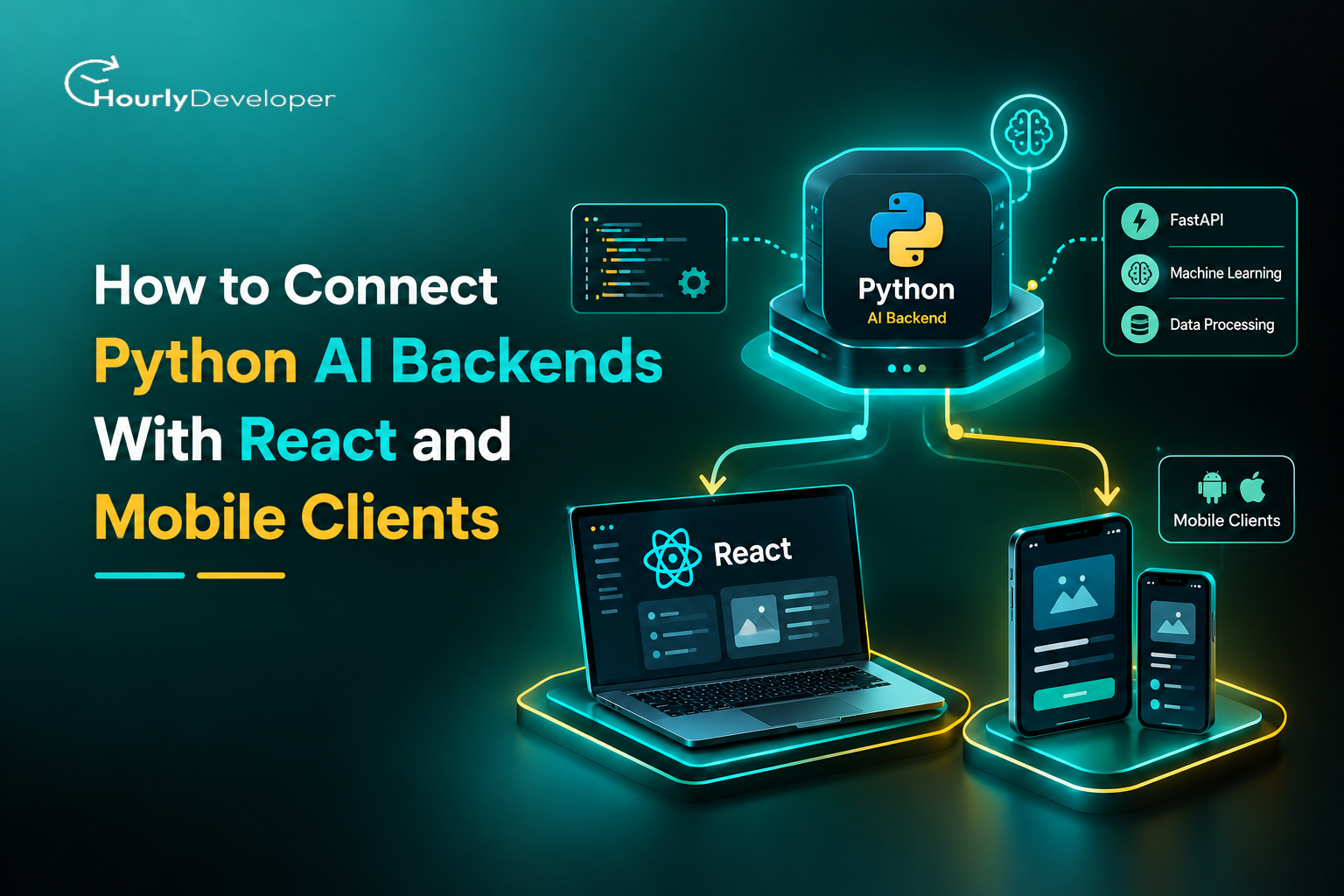
How to Connect Python AI Backends With React and Mobile Clients
A story plays out in many small product teams. A developer builds a chatbot in a Python notebook that answers questions about the product catalog. The team wraps it in a quick web page, and customers like it. Then the mobile app needs the same feature. Within a month there are two copies of the prompt logic, an API key sitting inside a JavaScript bundle, a phone that can't reach the test server, and a chat screen that freezes for twelve seconds while the model thinks.
None of these problems come from the model. They come from the plumbing between the model and its users, which is what this guide covers.
1. Why AI features belong on a Python backend
Chatbots, document summaries, product recommendations, photo recognition and smarter search have moved from demos into everyday apps. They share one shape: a user types, taps or uploads something, and a model somewhere returns an answer.
Three pieces usually share the work. Python runs the AI side, since major machine learning libraries and AI provider SDKs support it first. React draws the web screens. A mobile app handles the phone. A Python backend with React frontend setup, plus a mobile client calling the same server, is now one of the most common ways to ship AI features.
Why not run the model inside the app? Anything shipped to a browser or phone can be inspected, so secret keys leak. Large models need memory and graphics cards that phones lack. And with logic on one server, you fix a prompt once instead of waiting for every user to update.
The hard parts sit in between: communication, slow responses, access control, file transfer and deployment. Good Python AI backend development handles each one deliberately. By the end of this guide you will know how to connect a Python AI backend with React and with mobile apps, and what breaks when real users arrive.
Market signal
Figure
Source
Organizations using AI in at least one business function
88% (up from 78%)
McKinsey, State of AI, November 2025
Developers using React
44.7% of all respondents; 39.5% of professional developers
Stack Overflow Developer Survey 2025 (two different respondent groups)
Developers using FastAPI
14.8%, a 5-point rise in one year
Stack Overflow Developer Survey 2025
Python web developers using FastAPI
38%, up from 25% in 2022
JetBrains Python Developers Survey 2024
You'll see both 44.7% and 39.5% quoted for React from the same survey. The first counts all respondents and the second only professional developers, so they shouldn't be compared directly.
2. Understand the architecture before connecting the clients
2.1 What does a Python AI backend do?
Think of the backend as a careful receptionist. It takes what the user sent, checks it, passes it to the AI, and hands back a tidy answer. That covers a few jobs:
▪ Running a model directly with libraries such as PyTorch, TensorFlow or Transformers, or calling an outside AI service such as a large language model (LLM) provider.
▪ Applying business rules, reading and writing to a database, and keeping track of conversations.
▪ Checking who the user is (authentication), rejecting bad input (validation), writing logs, and turning failures into clear error messages.
2.2 What are React and mobile clients responsible for?
The React web app owns the screen: forms, chat windows, file pickers and AI answers. A mobile app does the same on a phone, plus moving between screens, camera access and notifications. Neither needs to know which model is running. Both follow an API contract, an agreed list of addresses, fields and response formats, so one Python server can serve both.
2.3 How does the complete request flow work?
Every AI feature here follows roughly six steps:
1. A user submits a prompt, a photo, a document or some other input.
2. The React or mobile client sends an HTTP request (a standard web message) to the Python API.
3. The backend confirms who the user is and checks the data.
4. The model or AI service processes the input.
5. The backend returns a structured answer, or streams it piece by piece.
6. The client shows the result, along with loading states and any errors.
Most bugs in React and Python integration happen at the hand-offs, such as step 2 sending a field the backend doesn't expect.
Suggested diagram
a React web app and a mobile app on the left, both pointing to one Python API, which connects to an AI model or provider, a database and file storage.
2.4 Recommended high-level architecture
Start small: React for web, React Native or a native app for mobile, one FastAPI service, an AI model or provider, and an optional database such as PostgreSQL. When traffic grows, split the heavy part (inference, meaning running the model on an input) into separate workers while the API stays light. Planning for that split early is a quiet skill in full-stack AI application development.
3. Choose the right Python framework and API communication method
3.1 FastAPI vs. Flask vs. Django REST Framework
Framework
Best suited for
Key consideration
FastAPI
New AI APIs, async workloads, typed request and response models
You need to understand asynchronous code to use its async features well
Flask
Lightweight services and simple prototypes
Validation and API documentation need extra libraries and setup
Django REST Framework
Products that already use Django's database layer, user accounts and admin tools
Brings more structure than a small inference API usually needs
FastAPI is a sensible default. It validates input with Pydantic, writes API documentation for you, and handles many waiting connections at once, which suits AI calls that mostly wait on a provider. If your product already runs on Django, adding endpoints there is often simpler. If your team has never written asynchronous Python, a Python Development Company with production FastAPI experience can set up the patterns once so your own developers can follow them.
3.2 REST APIs vs. WebSockets vs. Server-Sent Events
Method
How it works
Good fit
REST
The app asks, the server answers once
Predictions, classification, recommendations, short AI replies
Server-Sent Events (SSE)
The app asks once, the server sends a stream of updates back
Showing generated text word by word
WebSockets
A connection stays open and both sides send messages at any time
Live voice, collaborative tools, agents that ask the user follow-up questions
Start with REST, the easiest to build, test and debug. Add SSE when partial answers help, which is nearly always true for chat. Use WebSockets only when the client must push messages mid-conversation, since open connections are harder to scale.
3.3 Define a shared API contract
Before anyone builds a screen, agree on the request:
✓ FastAPI is a practical default; Django REST Framework makes sense if Django is already in place.
✓ Start with REST and add streaming once the basic flow works.
✓ A written contract for requests, responses and errors saves more time than any framework choice.
4. Build a Python AI backend with FastAPI
This is where Python AI backend development gets hands-on: a small service you can trust before any screen touches it.
4.1 Set up the development environment
Install a supported Python version and create a virtual environment, a private folder of packages for this project:
python -m venv .venv
source .venv/bin/activate # on Windows: .venv\Scripts\activate
pip install fastapi uvicorn
Uvicorn is the server that runs your app. Install your AI SDK or model libraries separately. Keep API keys in environment variables, settings stored outside your code, so secrets never reach Git.
4.2 Create the first AI API endpoint
An endpoint is one server address that does one job:
from fastapi import FastAPI
from pydantic import BaseModel
app = FastAPI()
class AIRequest(BaseModel):
prompt: str
@app.post("/api/ai/generate")
async def generate(request: AIRequest):
# Replace this placeholder with your AI inference call.
result = f"Received prompt: {request.prompt}"
return {"answer": result}
FastAPI() creates the app. AIRequest, built on BaseModel, describes valid input, and anything else is rejected. The decorator runs the function for POST requests to /api/ai/generate, and the returned dictionary becomes JSON. This is a skeleton with no AI yet; the placeholder is where the model call goes.
4.3 Connect the actual AI model or provider
Option A is an external AI API. Create the provider's client once at startup, read the key from an environment variable, send the validated prompt, and map the output into your own contract so a future provider switch doesn't touch the apps. Plan for rate limits, timeouts, outages and usage caps.
One trap catches many teams. Calling a synchronous (blocking) SDK inside an async def function freezes the server for every user until that call returns. Use the SDK's async client, or declare the endpoint with plain def so FastAPI runs it in a thread pool.
Option B is running a model yourself. Load it once at startup, never per request. Watch memory: four Uvicorn workers each loading a 7 GB model need about 28 GB for the models alone. That is why heavy models usually move to a dedicated inference server or worker queue. Hosting the API and hosting the model are separate decisions; they can share a process when small and split later. Teams that lack graphics card (GPU) experience often bring in a Python Development Company for this part, since sizing hardware wrongly is an expensive mistake.
4.4 Add validation and consistent error responses
Decide in advance how the backend answers:
▪ Empty prompts, or prompts far longer than your model accepts.
▪ Unsupported file formats and oversized uploads.
▪ Missing required fields, which FastAPI reports as HTTP 422.
▪ Provider timeouts and rate limits.
▪ Unexpected crashes, which should return a generic message and never a stack trace or secret.
Use fitting status codes (400 bad input, 401 not signed in, 429 too many requests, 503 AI service down), one error shape, and a request ID that support can trace to a log line. Watch for gaps in model output too. Providers sometimes return nothing, or stop mid-sentence at a length limit. Check the stop reason most SDKs report and tell the client the answer was cut short.
4.5 Test the backend independently
Run uvicorn main:app --reload and open http://localhost:8000/docs, an interactive page for sending real requests. Try a good prompt, an empty one, a missing field and a huge input, or use curl or Postman. Connect a frontend only once these pass, so later bugs point to one side.
5. Connect the Python AI backend to a React web application
Now the part most people search for: how to connect a Python AI backend with React in a way that works beyond your laptop.
5.1 Configure the React application
Keep your existing build tool. Store the backend address in an environment variable such as VITE_API_URL, with separate values for development, staging and production. Never put provider keys in frontend variables; anything bundled into a browser app is readable in developer tools. In a Python backend with React frontend setup, the browser only ever knows your backend's address; the backend alone holds the provider key.
The input is controlled, meaning React holds its value in state. On submit, the component clears old results, sets loading, and sends JSON. An error status throws, the catch shows a friendly message, and finally turns loading off. This assumes a Vite project and matching prompt and answer fields.
5.3 Configure CORS correctly
Browsers block calls to a different origin (domain, port or protocol) unless the server allows it. That rule is CORS, Cross-Origin Resource Sharing. React on localhost:5173 and FastAPI on localhost:8000 are different origins, so allow them on the backend:
from fastapi.middleware.cors import CORSMiddleware
List exact origins and only the methods and headers you use. Browsers refuse wildcard origins with credentials anyway. CORS protects browser users only; mobile apps and scripts ignore it. A large share of React and Python integration security mistakes come from treating CORS as if it were authentication. Your API still needs real access checks.
5.4 Handle AI responses in the user interface
▪ Disable the button and show a loader while waiting, which also blocks duplicate submissions.
▪ Show a clear message for empty answers.
▪ Render output as text. Inserting model markup with dangerouslySetInnerHTML invites script injection; use a sanitizing Markdown renderer instead.
▪ Offer stop (via AbortController) and retry.
Signals can conflict. If the browser gives up at 30 seconds and the server finishes at 35, the user sees an error, you pay for the answer, and a retry pays twice. An idempotency key (a unique ID per user action) lets the backend return the stored result instead. These details decide how to integrate Python AI APIs with React applications that customers use daily.
6. Connect the same Python backend to mobile clients
6.1 Choose the mobile client technology
Option
Language
Who it suits
React Native
JavaScript or TypeScript
Teams that already build the web app in React
Native Android
Kotlin
Apps needing deep Android features or top performance
Native iOS
Swift
Apps needing deep Apple platform features
Flutter
Dart
Teams wanting one codebase with its own rendering engine
The backend stays identical whichever you pick. If nobody on your team has shipped to the app stores, it's often faster to hire mobile developers for the first release than to learn store review and device testing from scratch.
6.2 Connect a React Native application
The request mirrors the web version:
const API_URL = "https://api.example.com";
export async function generateAIResponse(prompt) {
The difference: that URL must be reachable from the phone itself.
6.3 Configure local development and production URLs
▪ The Android emulator reaches your computer's localhost through the special address 10.0.2.2.
▪ The standard iOS Simulator can usually use localhost directly, because it shares the Mac's network.
▪ A physical phone needs your computer's local network IP address (for example 192.168.1.20), and Uvicorn must listen on all interfaces with --host 0.0.0.0 rather than the default 127.0.0.1.
▪ Production builds should always point at a deployed HTTPS address.
Android 9 and later block plain HTTP by default, as does iOS App Transport Security, so local http:// testing may need a development-only exception. Firewalls, isolated office Wi-Fi and VPNs can also block connections silently.
6.4 Add mobile-specific request handling
Mobile networks drop and switch between Wi-Fi and cellular mid-request:
▪ Show loading states without freezing the rest of the app.
▪ Set timeouts; React Native's fetch has none built in, so pair it with an AbortController.
▪ Retry only safe requests, a few times, with growing delays (exponential backoff) plus some randomness so phones don't all retry at once after an outage.
▪ Cancel requests when the user leaves the screen, and ignore repeated taps.
▪ Keep tokens in secure storage (Keychain on iOS, Keystore on Android), not plain AsyncStorage.
Google's research (2016) found 53% of mobile site visits are abandoned when a page takes over three seconds to load. It measured web pages, not AI features, but it shows mobile patience is short. On a tight deadline, it can pay to hire mobile developers who have handled flaky networks before.
6.5 Share API logic across clients where appropriate
Share what should be identical: schema, documentation, validation rules, error codes, even API helper functions between React and React Native. Keep screens separate, since a desktop chat layout feels cramped on a phone.
Key takeaways
✓ One backend can serve every client if they all follow the same contract.
✓ Most "it works on my laptop" mobile bugs are networking addresses or HTTP restrictions, not code.
✓ Timeouts, limited retries and secure token storage belong in the first mobile release, not a later one.
7. Support streaming responses, file uploads, and conversation history
These three features turn a demo into a product, and each adds real work to full-stack AI application development.
7.1 Stream AI responses instead of waiting for the full result
A long answer may take 15 seconds. If the first words appear after one, the app feels fast. FastAPI's StreamingResponse can send Server-Sent Events as text arrives:
from fastapi.responses import StreamingResponse
@app.post("/api/ai/stream")
async def stream(request: AIRequest):
async def events():
async for chunk in call_model_stream(request.prompt):
The browser's EventSource only supports GET, so for a POST read the stream with fetch and response.body.getReader(), appending each chunk.
Streaming forces real-time decisions. If a stream stops halfway, keep the partial text and mark it incomplete. Send an end marker such as [DONE] so the client can tell a finished answer from a dropped connection. When the user hits stop, cancel on the server too, or you keep paying for unread text.
Check the path to the phone. Proxies such as Nginx may buffer responses, so text arrives all at once; turn buffering off for that route. React Native's standard fetch has historically not exposed streamed bodies, so teams use an SSE library or the streaming fetch in recent Expo versions. Both ends must support streaming. Anyone working out how to integrate Python AI APIs with React applications for chat will spend much of their time on streaming.
7.2 Upload images, PDFs, and other files
A safe file flow looks like this:
1. The user picks a file in the app.
2. The app uploads it as multipart form data, the standard format for sending files over HTTP.
3. The backend checks the real file type (by reading its contents, not trusting the file name), the size, and whether this user may upload.
4. The backend extracts text or prepares the image for the model.
5. The AI service analyzes the content and the backend returns a result.
Edge cases pile up. A scanned PDF has no text layer, so extraction returns nothing; route it to OCR (optical character recognition) or tell the user rather than summarizing an empty string. A 200-page contract may exceed the model's input limit and need splitting. Slow files belong in a background job the app checks later. Consider malware scanning, and handle personal data under your privacy rules.
7.3 Maintain conversation history
Give each conversation an ID, store messages on the server, and send recent history with each prompt. A model's context window (the most text it can consider at once) fills up in long chats, so keep recent messages and summarize older ones. Check that the conversation belongs to the requesting user, or IDs can be guessed.
If one user messages from a phone and a laptop at once, both requests may load the same history and save replies out of order. Server-side sequence numbers and a lock while a reply is generated keep it consistent. History held only in React state vanishes on refresh and never syncs across devices.
8. Secure and optimize the integration
8.1 Protect API keys and user data
▪ Keep provider keys and database passwords on the server, in environment variables or a secrets manager.
▪ Use HTTPS everywhere in production.
▪ Validate on the server even if the app checked already, since anyone can call your API directly.
▪ Require sign-in for anything costly or personal, and limit users to their own records.
▪ Don't log passwords, tokens or prompts containing personal details.
Without security skills in-house, a Python Development Company can audit authentication, logging and secrets before launch.
8.2 Add rate limiting and usage controls
Each AI call costs money, so one script hammering your endpoint can run up a large bill overnight. Add:
▪ Request limits per user and per IP address.
▪ Caps on input length and on how many tokens (chunks of text the model counts) each answer can use.
▪ Maximum request and upload sizes.
▪ Monthly quotas per account, with budget alerts on your provider dashboard.
▪ A ceiling on how many expensive model calls run at the same time.
8.3 Improve AI response times
▪ Use async code for network waits and reuse HTTP connections.
▪ Load models once at startup.
▪ Cache repeatable answers, such as a fixed product summary.
▪ Move long jobs to workers with a task queue such as Celery or RQ.
▪ Pick the smallest model that gives acceptable answers.
A caveat for Python AI backend development: async does not make a model faster. It helps a server wait on many things at once. Heavy CPU or GPU work takes the same time, and only hardware, batching or a smaller model changes that.
8.4 Monitor errors, latency, and AI costs
Track response times and error rates, inference time separately from total time, token spend per user and feature, queue length, hardware use, and mobile failures including abandoned requests. Use structured logs (fields, not free text), carry the request ID through every service, alert on spikes, and strip personal data from logs.
8.5 Test the integration before release
Combine unit tests, API tests against a mocked provider, React component tests and end-to-end tests. Cover unhappy paths on purpose: bad input, expired sign-in, network loss mid-request, a 60-second model, rate limits, malformed output and many users at once.
8.6 How the system behaves under pressure
Consider launch day. Traffic triples, requests queue for model slots, and response times climb. Clients time out and retry, adding load, and the provider starts returning rate-limit errors. This loop, a retry storm, can take a healthy service down in minutes. To stop it:
▪ When the queue is full, return 429 with a Retry-After header at once, and make clients honor it.
▪ Add a circuit breaker that pauses calls to a failing provider and shows a clear "busy" message.
▪ Fall back to a smaller model, a cached answer, or switching off non-essential AI features.
▪ Scale API servers and GPU servers separately; GPU capacity is slow to add, so plan headroom.
Align timeouts too. If the load balancer cuts at 60 seconds while your app waits 90, users get a blank failure. The layer nearest the user should give up last.
9. Deploy the Python AI backend and connect production clients
9.1 Choose a deployment setup
A light API calling a provider fits a managed app platform or container service. Virtual machines or Kubernetes give more control. Self-hosted models need GPU machines or a managed inference service, and if a provider already gives good results, hosting your own may be needless cost.
9.2 Configure production infrastructure
▪ Secrets in the platform's secret manager, not the container image.
▪ HTTPS, your domain, and a CORS allowlist of production origins only.
▪ Database and file storage connections.
▪ Health checks (is it alive?) and readiness checks (has the model loaded?), so traffic never hits a server mid-load.
▪ Worker counts sized to model memory.
▪ Automated deployment, tested rollback and backups.
9.3 Update web and mobile clients
Point each production build at the production API. On web that is a config change; on mobile the address ships inside a reviewed release, so check it before submitting. Test on real phones over cellular data, and never bundle private credentials, which can be extracted. Teams that hire mobile developers with release experience catch these before review.
The Python backend with React frontend and the mobile apps will grow at different rates, and scaling the API (cheap servers) and inference (costly hardware) need separate budgets.
10. Common integration problems and how to fix them
When people ask how to connect a Python AI backend with React and mobile apps without losing days to debugging, this table covers most of the answer:
Problem
Likely cause
Recommended fix
React request blocked
Incorrect CORS configuration
Check the frontend origin against the backend's CORS rules
Mobile app cannot reach API
Wrong host address or server bound to 127.0.0.1
Use 10.0.2.2, the LAN IP, or a deployed URL; run Uvicorn with --host 0.0.0.0
HTTP 422 response
Request JSON does not match the schema
Compare the payload with the Pydantic model
AI request times out
Slow inference or a short timeout
Measure latency, then stream, queue or adjust timeouts
HTTP 401 or 403
Missing or insufficient credentials
Check token validity and permission rules
Duplicate AI responses
Repeated taps or automatic retries
Disable the button and use idempotency keys
Streamed text arrives all at once
Proxy buffering
Turn off buffering for the streaming route
High AI bills
Unlimited usage or very long prompts
Add quotas, token caps and cost alerts
The error a user sees is the weakest clue; the request ID in the server logs shows what really happened. Smooth React and Python integration depends more on that habit than on any single fix.
11. Conclusion: build one reliable AI API for every client
One well-built Python backend can serve your React app, your mobile apps and whatever comes next. Sketch the architecture, test the API alone, connect the clients, then add streaming, error handling, security and deployment. Start with one REST endpoint and grow from there. Good full-stack AI application development comes down to three habits: a clear API contract, secrets and logic kept on the server, and monitoring that tells you about problems before your users do.
Nikhil Patel, our dynamic Director, charts our course with innovative fervor and strategic acumen. With a sharp eye for opportunity, he steers our company's ascent with resolute determination. Nikhil's empathetic leadership unites us, igniting a collective drive for greatness and propelling us toward boundless success.
Frequently Asked Questions
Yes. GraphQL lets the app fetch exactly the fields it needs in one call, useful when screens mix AI results with account data. Strawberry works with FastAPI, and subscriptions can carry streamed output. For a single AI endpoint, REST is easier to cache and monitor.
Yes. FastAPI publishes an OpenAPI schema at /openapi.json, and tools such as openapi-typescript or Orval turn it into TypeScript types. Renaming a backend field then breaks the build instead of breaking quietly for users.
Only if the AI must answer from your own documents. That pattern, retrieval-augmented generation (RAG), stores text as numeric embeddings and finds the closest passages before each call. PostgreSQL with pgvector is often enough at first; Qdrant or Pinecone suit larger collections.
Yes, for small models. Core ML on iOS and TensorFlow Lite (now LiteRT) on Android run image classifiers or text detection offline with no server cost. Large language models and anything needing private keys stay on the backend.
With care. The first request after a quiet period waits for a cold start, which worsens if a model must load, and duration caps can cut off long streams. Serverless suits light code that calls an external provider.
Find exceptional developers at Hourlydeveloper. Get the expertise, solutions, and teamwork you need for success. Hire developers easily and boost your projects today!
 Back to Blog