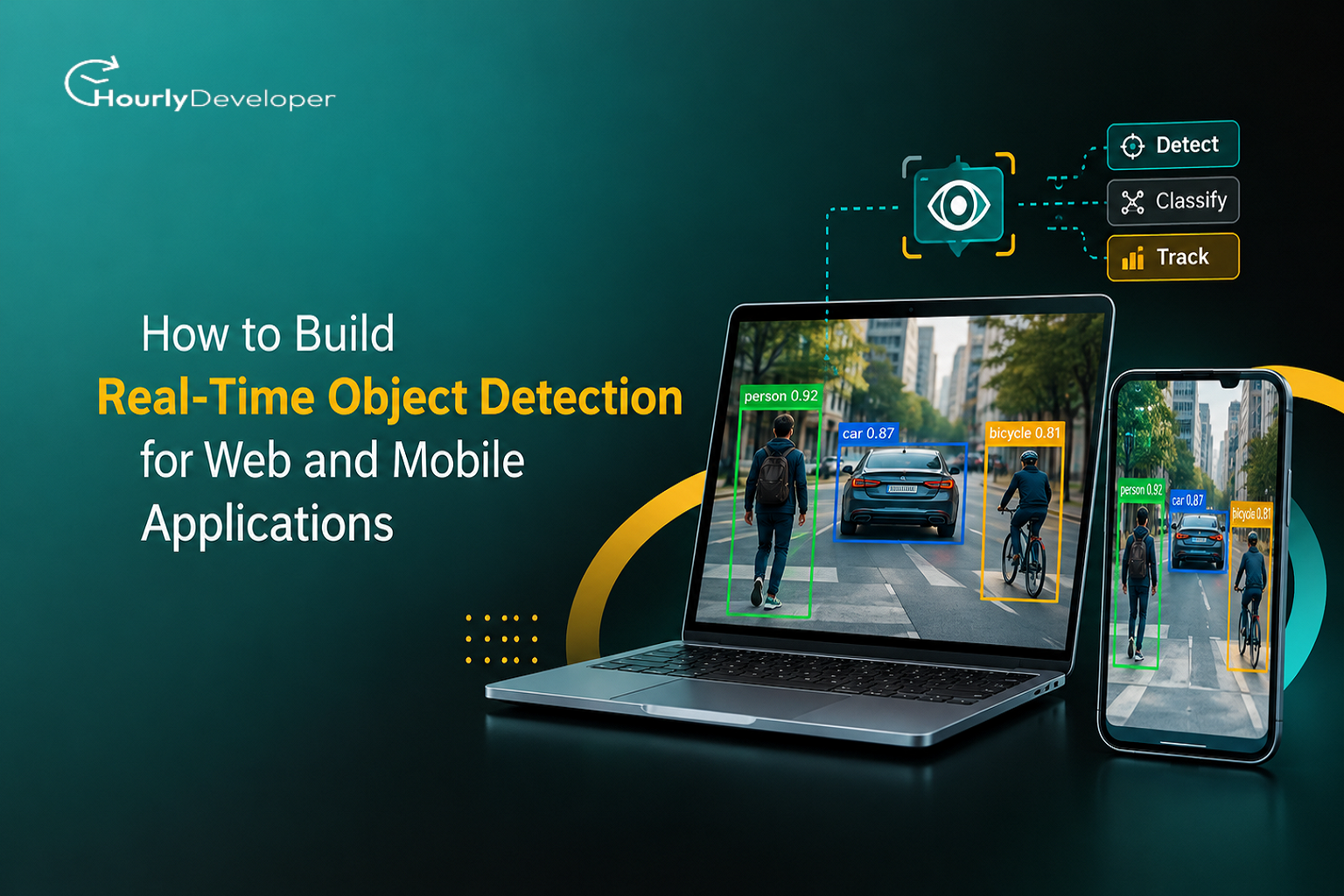
How to Build Real-Time Object Detection for Web and Mobile Applications
Here is a number that should make any engineering lead a little uneasy. In Firefly's 2025 State of Infrastructure as Code report, 89 percent of organizations said they had adopted infrastructure as code. Only 6 percent said their cloud was fully codified.
That gap is where cloud trouble lives: the database created by hand during launch week, the firewall rule added at 2 a.m. and never written down, the server nobody dares delete.
Terraform exists to close that gap. It lets you describe your servers, networks, databases, and permissions in text files, then builds or changes the real thing to match. This guide covers how it works, where it breaks, and the habits behind a setup you can trust. No DevOps background needed; technical terms get explained as they come up.
What Terraform Is, Without the Jargon
Think about a restaurant kitchen. The chef doesn't explain every dish out loud each night. There's a written recipe any trained cook can follow, and if the dish changes, the recipe changes first.
Terraform turns your cloud setup into that kind of recipe. Instead of logging into the AWS, Azure, or Google Cloud console and clicking through screens, you write a file that says "I want two servers of this size, one database, and a storage bucket with these permissions." Terraform reads the file, checks what already exists, and makes only the changes needed.
That idea is called infrastructure as code, usually shortened to IaC. Infrastructure means the computers and services your app runs on. "As code" means it's written down in files you can save, review, and track in Git like any other software.
This matters most for products with lots of moving parts. A feature such as Real-Time Object Detection for Web and Mobile Apps, where software spots and labels objects in a live camera feed, needs GPU servers, file storage, a load balancer, and two different front ends. Settings that only live in a console get forgotten.
A handful of terms come up constantly, so here they are in one place:
Term
What it means
Provider
A plugin that lets Terraform talk to a specific service, such as AWS, Cloudflare, or GitHub. The public Terraform Registry lists thousands of them.
Resource
One thing you want to exist: a server, a DNS record, a user account.
State
Terraform's memory. A file that records which real-world objects match which resources in your code.
Plan
A preview. Terraform compares your code with the state and the live cloud, then lists what it would create, change, or destroy.
Apply
The step that actually carries out the changes from the plan.
Module
A reusable bundle of resources, like a house recipe for "a standard web server setup" that several teams can share.
Terraform files are written in HCL, short for HashiCorp Configuration Language. It reads more like a settings file than a programming language, which is part of why people outside the infrastructure team can usually follow a Terraform pull request.
A First Look at Real Terraform Code
Let's make it concrete. Say a small startup is building a feature that recognizes products on store shelves through a phone camera. That kind of Real-Time Object Detection needs a trained model running on a GPU server, a place to store the model file, and a way for the app to reach it.
Here's a trimmed version of what the Terraform for that might look like:
provider "aws" {
region = "ap-south-1"
}
resource "aws_s3_bucket" "model_store" {
bucket = "shelfscan-model-weights"
}
resource "aws_instance" "detector" {
ami = var.gpu_ami_id
instance_type = "g5.xlarge"
tags = {
Name = "detector-api"
Team = "ml"
}
}
The provider block picks the cloud and region. The first resource creates an Amazon S3 bucket for the model file, and the second creates a virtual server. The instance_type line picks a machine size with a GPU, which matters because models used for YOLO object detection run far faster on graphics chips than on regular processors. The ami line points to the operating system image, pulled from a variable so test and production can differ.
Nothing in this file says how to create these things, only what should exist. That's called a declarative approach: you describe the end result, and Terraform works out the steps and their order.
The Everyday Workf low: Write, Plan, Apply
Almost everything you do with Terraform follows the same loop.
1.Write or edit the .tf files. The code changes first, never the console.
2. Run terraform init. This downloads the providers your code needs and connects to your state storage.
3. Run terraform plan. Terraform checks the state and the live cloud, then prints proposed changes: plus for create, minus for destroy, tilde for an in-place update.
4. Read the plan like a contract. A plan that says "1 to destroy" next to a database deserves a second pair of eyes.
5. Run terraform apply. Terraform makes the changes and updates the state file to record what it built.
In a team, steps 3 and 5 usually move into a pipeline. A developer opens a pull request, the pipeline posts the plan as a comment, a reviewer approves it, and the pipeline applies it after the merge. Firefly's 2025 survey found that 59 percent of teams now deploy infrastructure through CI/CD or GitOps pipelines, while manual command-line runs fell from 30 percent to 24 percent over the previous year. CI/CD means automated checks and deployments that run whenever code changes.
Pipelines also help newcomers. When you Hire AI Developers who know models well but not cloud setup, a plan on every pull request shows them what their change will do first.
The plan is your one chance to catch a mistake before it costs money or uptime. On a project like the Real-Time Object Detection feature above, a plan that quietly replaces the GPU server would also drop every request in flight.
State: The Part Everyone Underestimates
If Terraform has one concept that trips up beginners, it's state.
When Terraform creates that GPU server, AWS gives it an ID such as i-0abc123. Terraform writes that ID into a state file next to the name you used in code, aws_instance.detector. On the next plan, it uses that mapping to know that this block of code refers to that particular server. Without state, Terraform would have no idea which real server belongs to which line of code.
By default, state lives in a local file called terraform.tfstate. That's fine for learning. On a team, a state file on one laptop means nobody else can run Terraform safely, and two people applying at once can overwrite each other's work.
The fix is a remote backend: shared storage for the state file, such as an S3 bucket, Azure Blob Storage, Google Cloud Storage, or HCP Terraform, which is HashiCorp's hosted service. Good backends also support locking, so only one person or pipeline can change state at a time. Older AWS setups paired an S3 bucket with a DynamoDB table for locking, and recent Terraform releases can lock using the S3 bucket itself.
Access rules matter here too. When you Hire Web Developers on contract to build a dashboard, they'll need to see plans for their part of the system, but rarely the raw state bucket. Let a pipeline run plans with state access on their behalf, so they see the output without touching stored passwords.
The key mindset shift: state is Terraform's belief about the world, not a backup. Most odd behavior comes from that belief drifting away from reality.
Terraform Compared With the Alternatives
Terraform isn't the only option, and the right pick depends on your team and your cloud. Here's how the common choices line up.
Tool
Written in
How it tracks what exists
License
Best fit
Terraform
HCL
State file you store, or HCP Terraform
Business Source License 1.1 (version 1.6 onward)
Teams that want the largest provider ecosystem across many clouds and SaaS tools
OpenTofu
HCL, same files as Terraform
State file you store
MPL 2.0, open source
Teams that need an open-source license or build products on top of IaC
Pulumi
TypeScript, Python, Go, C#, Java, or YAML
Pulumi Cloud or a backend you manage
Apache 2.0
Developer-heavy teams that want loops, tests, and IDE help in a familiar language
AWS CloudFormation
JSON or YAML
Managed by AWS as "stacks"
AWS service, no separate license
Companies that run only on AWS and want native support
Ansible
YAML playbooks
No state file; checks each machine on every run
GPL v3
Installing and configuring software on servers that already exist
The license column needs some background, because it confused a lot of people. In August 2023, HashiCorp moved Terraform from the open-source Mozilla Public License to the Business Source License, which allows most everyday use but restricts offering competing commercial products. Within weeks, a group of companies forked the last open-licensed version, and the Linux Foundation took it in under the name OpenTofu. In April 2025, OpenTofu was accepted into the Cloud Native Computing Foundation as a sandbox project.
Pulumi is worth a look for JavaScript-heavy teams. Companies that Hire Web Developers with TypeScript experience may find it easier to adopt, since the infrastructure code uses a language they already write.
Ownership changed too. IBM completed its purchase of HashiCorp on February 27, 2025, paying $35 per share in cash, an enterprise value of about $6.4 billion.
For companies using Terraform to run their own infrastructure, the license change doesn't block anything. It matters if you sell something that competes with HashiCorp's commercial offerings, and that's a question for your legal team.
What the Numbers Say About Infrastructure as Code
Terraform's popularity shows up in developer surveys. In the Stack Overflow 2025 Developer Survey, about 18 percent of respondents said they had done extensive work with Terraform in the past year, under the survey's cloud development question. Docker's 2025 developer report, based on more than 4,500 respondents, also listed Terraform among the leading tools for provisioning infrastructure.
Market size is less tidy. Research firms agree the IaC market is growing by more than 20 percent a year, but they disagree on its current size:
Research firm
Starting estimate
Forecast
Yearly growth (CAGR)
Grand View Research
$1.02 billion (2024)
$6.14 billion by 2033
22.3%
Global Market Insights
$1.0 billion (2025)
$8.6 billion by 2035
24.3%
The Business Research Company
$1.6 billion (2025)
$5.25 billion by 2030
26.8%
MarketsandMarkets
$0.8 billion (2022)
$2.3 billion by 2027
24.0%
CAGR means compound annual growth rate, the average yearly growth over the forecast. The gap between $1 billion and $1.6 billion for the same year likely reflects where each firm draws the market's boundary, such as whether consulting counts. A fair reading: somewhere between $1 billion and $1.6 billion in 2025, with every firm expecting several-fold growth.
The Firefly survey shows how teams cope day to day:
▪ 65 percent said cloud complexity had increased over the past two years.
▪ Fewer than one in three organizations continuously monitor for drift.
▪ 17 percent have no drift detection process at all, according to The New Stack's write-up of the report.
▪ 40 percent said fixing drift takes days or weeks.
▪ 61 percent are bringing older, hand-built infrastructure under code piece by piece.
Where Terraform Gets Hard, and What to Do About It
Tutorials usually stop at "apply complete." These are the situations that cause the late nights.
Data gaps: what Terraform can't see
Terraform only knows about resources in its state. Anything created by hand, by another tool, or by another team's Terraform project is invisible to it. That's how you end up with the 89-versus-6 gap from the opening.
▪ Resources created in the console before Terraform arrived. Terraform won't touch them or warn you they exist.
▪ Values the cloud decides at creation time, such as an IP address. Plans show these as "known after apply," so you can't always see a change's full effect in advance.
▪ Brand-new cloud features the provider doesn't support yet. Teams either wait or manage that setting by hand for a while.
The fix for the first one is importing. Since Terraform 1.5, you can write an import block in code that says "this existing server belongs to this resource," and the next plan will bring it under management without rebuilding it. Do it in small batches, like the 61 percent of teams Firefly found retrofitting piece by piece. Importing a whole account in one weekend usually ends with a plan nobody trusts.
Conflicting signals: when code, state, and cloud disagree
Every Terraform setup holds three versions of the truth: what the code says, what the state file believes, and what actually exists in the cloud. When they disagree, you have drift.
A typical case: a teammate bumps the detector server to a bigger size in the console during a traffic spike. The cloud now says g5.2xlarge. The code and state still say g5.xlarge. On the next plan, Terraform proposes shrinking it back. If someone approves that plan without reading it, last night's fix quietly disappears.
Running terraform plan -refresh-only shows what changed in the cloud without proposing to undo it. From there you decide which version wins: update the code to match reality, or apply to restore what the code says.
Trickier still is two systems legitimately managing one setting. An autoscaler changes the server count all day, so if Terraform also sets it, every plan will try to "fix" it. The ignore_changes lifecycle setting tells Terraform to leave a specific attribute alone after creation. Use it narrowly, with a comment explaining why.
Real-time decisions: when production is on fire
Rules like "never touch the console" bend during an outage, and that's fine. What counts is what happens afterward.
A workable rule set for incidents:
▪ Make the emergency change by whatever route is fastest.
▪ Write down exactly what you changed, in the incident channel, while it's fresh.
▪ Within a day, update the code to match or revert the change through Terraform.
▪ Run a refresh-only plan to confirm the code, state, and cloud agree again.
Terraform's -target option applies changes to a single resource. It helps when you must push one fix in isolation, but HashiCorp's documentation reserves it for exceptional situations, since routine use lets the rest of your setup fall out of sync. If you reach for it weekly, something else is wrong.
For changes that could cause downtime, lifecycle settings let you decide ahead of time. create_before_destroy builds the replacement before removing the old resource, which matters for anything serving live traffic. prevent_destroy makes Terraform refuse any plan that would delete a resource, a sensible guard for production databases and for the bucket holding the trained models behind a Real-Time Object Detection service.
Exceptions and edge cases
Some Terraform behavior feels wrong the first time, even though it follows the rules exactly:
Situation
What Terraform does
What to do instead
You rename a resource in code
Plans to destroy the old one and create a new one, because it sees a different name
Add a moved block (Terraform 1.1 and later) so it updates state instead of rebuilding
You remove an item from the middle of a count list
Index numbers shift, so items after it get destroyed and recreated
Use for_each with stable keys, such as names, instead of count
An apply fails halfway
Keeps whatever succeeded in state; the rest stays unbuilt
Read the error, fix the cause, and plan again. Don't delete the state file
A crashed laptop leaves a lock behind
Blocks everyone else with a lock error
Confirm nothing is running, then use terraform force-unlock with the lock ID
A provider upgrade changes defaults
May propose changes to resources you didn't edit
Pin versions in required_providers and commit the .terraform.lock.hcl file
You delete a storage bucket that still has files
The cloud refuses and the apply fails
Empty it first, or set force_destroy only where losing the data is acceptable
A permission role is created and used in the same apply
Can fail because the cloud hasn't finished spreading the new role across its systems
Run apply again or add an explicit dependency. This is eventual consistency, not a bug in your code
Under pressure and at scale
Plans slow down. Each plan checks every resource in the state with the cloud, so a state file with thousands of resources can take many minutes, and people start skipping plans.
Cloud APIs push back. By default Terraform works on up to 10 resources at the same time, a number controlled by the -parallelism option. Large applies can hit the cloud's request limits, and lowering parallelism trades speed for steadier runs.
Capacity isn't guaranteed, which surprises teams running AI workloads. Your code can ask for eight GPU servers, but if the region has no spare GPUs of that type at that moment, the apply fails with a capacity error. Teams running YOLO object detection in production often allow more than one instance type, spread servers across availability zones, and request GPU quota increases well before launch, since those requests aren't always approved instantly.
The blast radius grows. If one state file holds everything, one bad apply can touch everything. Split state by environment and by area, such as networking, databases, and the detection service, so each piece is planned and reviewed on its own. For separating production from testing, HashiCorp's documentation advises against relying on Terraform workspaces when environments need separate credentials and access controls, so many teams use separate directories and backends instead.
KEY TAKEAWAYS SO FAR
✓ Terraform only manages what's in its state. Import everything else gradually.
✓ Drift is normal. Spotting it quickly is the real job.
✓ Small state files keep one mistake from becoming everyone's problem.
✓ Edge cases follow predictable rules, so learn the rules before production teaches you.
Worked Example: Infrastructure for a Detection Feature
Back to the shelf-scanning startup, since a full product shows how the pieces fit.
The team is building Real-Time Object Detection for Web and Mobile Apps: shoppers point a phone at a shelf, store managers check results on a browser dashboard, and both talk to the same detection service. The model comes from the YOLO family. YOLO, short for "You Only Look Once," was introduced by Joseph Redmon and colleagues in 2015, and the original paper reported 45 frames per second for the base model and 155 for a smaller "Fast YOLO" version. That speed is why YOLO object detection is still a common starting point when answers need to arrive while the camera is moving.
The Terraform for this product would cover:
▪ A private network, so the GPU servers aren't exposed directly to the internet.
▪ A versioned model bucket, so a bad model can be rolled back.
▪ Autoscaling GPU servers, with ignore_changes on the server count so Terraform and the autoscaler don't fight.
▪ A load balancer whose health checks only route traffic to servers that have finished loading the model.
▪ An HTTPS endpoint that both the mobile app and the web dashboard call.
▪ Monitoring alarms for response time, GPU usage, and error rates.
That health check matters. A fresh GPU server needs time to load model weights, and traffic sent too early means user timeouts. Getting this right is part of Real-Time Object Detection Development that has nothing to do with the model's accuracy, and it belongs in code so it isn't lost when someone leaves.
Who owns which part
When companiesHire AI Developers for a feature like this, the expectation is usually model work: training, tuning accuracy, choosing image sizes. But their choices carry infrastructure costs, like which GPU type and how much memory the model needs. A small module with a few inputs (instance type, model path, minimum servers) lets them change what they own without touching the network.
Teams that Hire Mobile Developers for the phone app care about cellular delay, dropped signals, and whether some detection can run on the device. Those choices reach the servers too: if the app falls back to on-device detection on weak connections, server traffic drops and autoscaling limits can come down.
The browser dashboard needs a cheaper path of its own: a web server, a results database, and login. A separate Terraform project means a dashboard change can never resize the GPU fleet by accident.
The pattern is ownership by folder: each group owns a project or module, a shared network project sits underneath, and a CODEOWNERS file in GitHub routes reviews to the right people.
Habits That Keep Terraform Healthy
Most Terraform pain traces back to habits. Steady teams tend to:
▪ Store state remotely, with locking and encryption, from day one.
▪ Pin Terraform and provider versions and commit the lock file.
▪ Require human approval for any plan that destroys something.
▪ Schedule a nightly drift check with terraform plan -detailed-exitcode, which returns exit code 2 when it finds differences, wired to an alert.
▪ Keep modules small. One with 40 inputs is harder to use than plain resources.
▪ Tag every resource with team, environment, and cost center, so the GPU bill for the detection service shows up as its own line.
▪ Scan code before applying with a checker such as Checkov, TFLint, or Trivy to catch open storage buckets and missing encryption.
These habits matter more as a company grows. Once you Hire AI Developers and product engineers who touch infrastructure now and then rather than daily, guardrails in code protect them from mistakes a full-time platform engineer would catch by instinct. The same goes for any company planning to Hire Web Developers for customer-facing work: decide who reviews infrastructure changes before the first new hire opens a pull request.
Conclusion
Terraform's promise is simple: infrastructure that's written down, reviewed, and repeatable. The hard parts, like state, drift, and scale, come from real clouds being messy, not from the tool being poorly built.
Doing it right means respecting that. Keep state safe and shared, read every plan, check for drift on a schedule, split big setups, and pay back emergency console changes within a day.
For compute-heavy products such as Real-Time Object Detection for Web and Mobile Apps, these habits pay off quickly, because GPU servers are expensive to leave running by accident and slow to replace when capacity is tight. And as the team grows, including when you Hire Mobile Developers or other specialists for parts of the product, a clean Terraform setup gives every new person the same accurate map of how the system fits together.
With a love for connecting with people and a flair for communication, Prachi's expertise in digital marketing is unmatched. Her strategic approach to campaigns ensures our brand's story reaches far and wide, making an impact on the lives of countless individuals.
Frequently Asked Questions
The Terraform command-line tool is free to download and use for managing your own infrastructure under the Business Source License. HCP Terraform, the hosted service, has a free tier and paid plans. If your company needs a fully open-source license, OpenTofu works with the same files under MPL 2.0.
Not much. HCL reads like a configuration file, and basic comfort with the command line plus some understanding of your cloud (what a server, network, or storage bucket is) will take you further than coding skill. This is also why app developers can usually review a Terraform pull request after a short introduction, which helps when you Hire Mobile Developers who will occasionally adjust backend settings.
Terraform creates and changes infrastructure, such as servers, networks, and databases. Ansible mainly configures what runs on servers that already exist, such as installing packages. Many teams use both: Terraform builds the server, then Ansible sets it up.
Yes. Terraform can provision GPU servers, model storage, autoscaling groups, and managed machine learning services on all major clouds. For teams doing Real-Time Object Detection Development, the extra concerns are GPU capacity and quotas, slow model loading on new servers, and cost control for idle GPUs.
Terraform spots the difference, called drift, on the next plan and proposes changing it back to match the code. Run terraform plan -refresh-only to see what changed, then either update the code to keep the manual change or apply to undo it. A scheduled drift check catches this early.
Find exceptional developers at Hourlydeveloper. Get the expertise, solutions, and teamwork you need for success. Hire developers easily and boost your projects today!
 Back to Blog