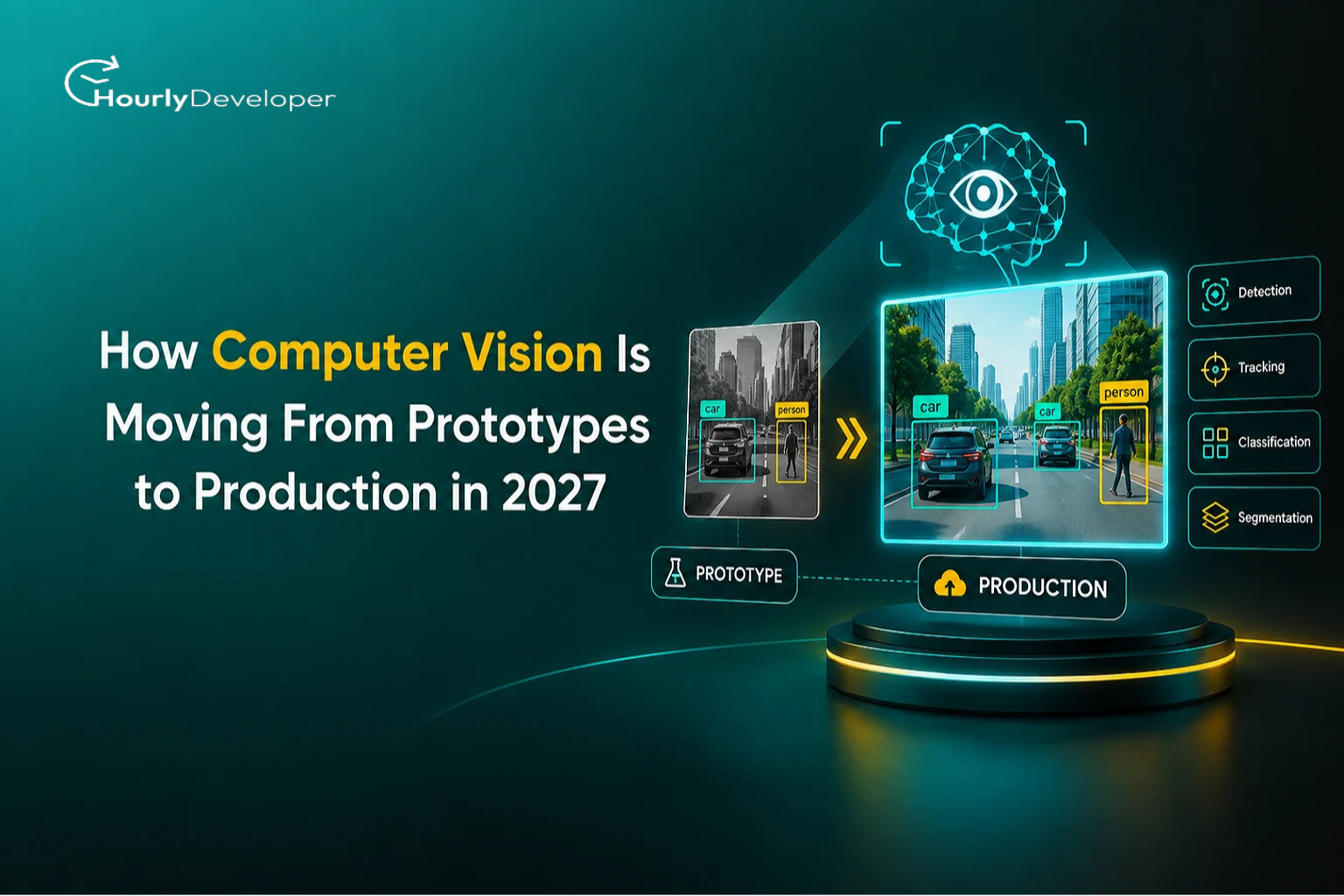
How Computer Vision Is Moving From Prototypes to Production in 2027
In April 2024, Amazon confirmed it was taking its Just Walk Out checkout system out of its Amazon Fresh grocery stores in the United States. The idea behind it was easy to explain. Cameras and sensors watch what you take off the shelf, your account gets charged, and you leave without standing in a queue. The demos looked like magic. Yet Amazon switched its Fresh stores to Dash Carts, smart trolleys where shoppers scan each item with a camera built into the cart.
The Information reported, and Business Insider and other outlets repeated, that a team of more than 1,000 people, mostly in India, reviewed shopping activity behind the scenes. Amazon pushed back on that description. A company spokesperson said those workers mainly labelled video to keep improving the model, and that the number of human reviews had been falling year over year.
Either way, the episode shows the gap this article is about. A vision system that works in a pilot store is one engineering job. A system that works in every store, every hour, with crowds, odd lighting, children moving products around and items put back on the wrong shelf, is a much bigger one.
Closing that gap is what founders, product teams and developers are working on right now. This guide covers what Computer Vision in Production really involves as we head into 2027, which parts of the work are getting cheaper and simpler, and where things still break.
First, What Counts as "Production"?
Computer vision is the branch of AI that lets software make sense of images and video. It can spot a scratch on a phone case, count people in a queue, read a vehicle number plate or flag a shadow on an X-ray. Most modern systems use deep learning, where a model learns patterns from thousands or millions of labelled examples instead of hand-written rules.
A prototype is usually a model trained on a tidy dataset, tested on a laptop or in a cloud notebook, and shown to a few people with a handful of good-looking results. It answers one question: can this work at all?
Production asks harder questions:
Does it work on the cameras we already own, mounted where they already are?
What happens at 6 p.m. when low sunlight hits the lens?
Who gets alerted when the model is unsure, and how quickly?
What does each prediction cost when it runs on 200 cameras around the clock?
How will we know if accuracy has slipped since last month?
A system with clear, tested answers to those questions is what people mean by Production-Ready Computer Vision. A high test score gets you through the door. After that, reliability, cost and error handling decide the outcome.
The Numbers Behind the Shift
Market research firms agree that spending on computer vision is growing. They disagree, sometimes widely, on its size and speed of growth, which matters before you put any figure in a pitch deck.
Market Statistics at a Glance
Grand View Research
Estimates the global computer vision market at about USD 23.6 billion in 2025, reaching USD 101.5 billion by 2033, a compound annual growth rate (CAGR) of 20.1% from 2026 to 2033.
MarketsandMarkets
Valued the market at USD 19.78 billion in 2024 and expects USD 112.10 billion by 2035, a CAGR of 17.3% between 2025 and 2035.
IMARC Group
Puts the 2024 market at USD 20.5 billion but forecasts much slower growth of 5.9% a year from 2025 to 2033.
Gartner
Its AI in Organizations survey of 699 respondents, run in late 2021 and published in August 2022, found that on average 54% of AI projects make it from pilot to production, up only slightly from 53% in its 2019 survey.
Why do the estimates differ so much? Each firm defines "computer vision" differently. Some count cameras and processors, others focus on software, and some include driver-assistance systems in cars. Over eight years, the difference between 5.9% and 20.1% yearly growth is huge, so treat any one figure as a rough signal of direction.
The Gartner finding is the more useful one for anyone building a product. Even before the current wave of generative AI, close to half of AI pilots never reached everyday use. Vision projects carry extra risk, because they depend on physical things such as cameras, lighting, network cables and the people who walk in front of the lens.
Why 2027 Looks Different From 2023
Several changes over the past two years are making real deployments cheaper. None removes the hard work, but together they change the economics. These are the Computer Vision AI Trends 2027 that matter most for teams planning a launch.
Capable hardware got much cheaper
In December 2024, NVIDIA released the Jetson Orin Nano Super Developer Kit at USD 249. The earlier Orin Nano kit had cost USD 499 and offered 40 TOPS of AI performance. The new one offers up to 67 TOPS. TOPS means trillions of operations per second, a rough measure of how much AI maths a chip can handle. For a startup, a small box next to a camera can now run models that once needed a data centre server.
Models are being built with deployment in mind
YOLO is a popular family of object detection models, meaning models that find objects in an image and draw boxes around them. In early 2026, Ultralytics released YOLO26. It drops a clean-up step called non-maximum suppression (NMS), which removes duplicate boxes drawn around the same object. Without that step, the model is simpler to move onto different chips and devices. Ultralytics reports up to 43% faster inference on CPUs, the ordinary processors found in most computers. Test vendor speed claims on your own hardware, but the direction is clear. Model makers now design for factory floors and shop ceilings as much as for leaderboards.
Big models now help with labelling
Meta released SAM 3 (Segment Anything Model 3) on 19 November 2025. You can type a short phrase such as "yellow school bus" and it will find, outline and track every matching object across images and video. It needs a large GPU, so it is rarely the model running live on a camera. Roboflow and others describe a different use: let SAM 3 label your training images automatically, have people check and correct the labels, then train a smaller, faster model for the live system. Labelling has always been one of the slowest and costliest parts of a vision project.
SAM 3 has limits. Reviewers have noted it struggles with prompts that describe position or relationships, such as "the second book from the left", and that accuracy can drop in specialist areas like medical images.
Vision and language are coming together
Vision-language models (VLMs) can answer questions about an image in normal sentences. You might ask, "Is the forklift blocking the fire exit?" and get a written answer. They are slower and less predictable than a dedicated detector, so live systems usually let a fast model handle every frame and pass only unusual cases to the VLM.
The rules are getting clearer
The European Union's AI Act started applying its bans on certain practices on 2 February 2025. These include building facial recognition databases by scraping images from the internet or CCTV without a specific target, and using emotion recognition in workplaces and schools, with limited medical and safety exceptions. If your product touches faces, tracks people or watches workers, legal review now belongs in the project plan from the first week, alongside the other Computer Vision AI Trends 2027 covered here.
Where Vision Systems Already Pay Their Way
MarketsandMarkets lists quality inspection, measurement, identification and predictive maintenance among the main applications, and points to pharmaceuticals and food packaging as heavy users in North America because regulation requires careful checks. Beyond factories, here is where camera-based systems are doing daily work:
▪ On production lines, cameras check every bottle cap, label and circuit board for defects. A person can check a sample, while a camera can check all of them.
▪ Retailers use cameras to watch shelves for gaps, read price tags and run smart carts. Amazon has said its Dash Carts use computer vision algorithms combined with other sensors to identify items.
▪ In hospitals and clinics, models screen retinal photos for diabetic eye disease, highlight areas of concern on scans and help count cells in lab samples. A clinician still makes the final call.
▪ Warehouses and courier hubs use cameras to read shipping labels, measure parcel sizes and spot crushed boxes before they reach a customer.
▪ On construction sites, cameras check whether workers are wearing helmets and high-visibility vests, and flag people entering restricted zones.
▪ In offices, document scanning tools read invoices, receipts and ID cards, then pull out names, dates and totals so nobody has to type them in.
Each of these runs as Computer Vision in Production somewhere today. The deployments that last and the ones that quietly get switched off often use similar models. The difference usually lies in the cameras, processes and people surrounding those models.
Prototype vs Production: A Side-by-Side View
The table below shows how expectations change once a system leaves the demo stage. Use it as a checklist when you plan Production-Ready Computer Vision for your own product.
Area
Prototype
Production
Data
A few thousand clean, hand-picked images
Millions of frames from many cameras, seasons and lighting conditions
Measure of success
Accuracy on a held-out test set
Accuracy plus speed, uptime, cost per prediction and business outcome
Hardware
One cloud GPU or a laptop
Edge devices, cloud servers or both, each with limits on heat, power and memory
Errors
Reviewed by the developer after the demo
Sent to a person or a fallback rule within seconds
Updates
Retrain whenever convenient
Versioned models, staged rollouts and the ability to roll back
Monitoring
Usually none
Dashboards for accuracy drift, delay, dropped frames and device health
Privacy
Rarely considered
Consent, storage limits, face blurring and regional law
Team
One or two machine learning engineers
Machine learning, backend, DevOps, hardware and domain experts, plus support staff
The Hard Parts Nobody Shows in the Demo
Five problems come up again and again once a project moves past the pilot.
1. Data gaps
A data gap is the difference between the images a model learned from and the images it sees in real use. The best documented example comes from Google Health.
Google built a deep learning system that could detect diabetic retinopathy, an eye disease linked to diabetes, from retinal photos with over 90% accuracy in lab conditions. Working with Thailand's Ministry of Public Health, researchers deployed it in 11 clinics in Pathum Thani and Chiang Mai between November 2018 and August 2019. The findings appeared in a CHI 2020 conference paper led by Emma Beede.
Many clinics took photos in rooms that were not fully dark, and the images were lower quality than the ones used in training. The system had strict quality rules and refused images with blur or dark patches, even some that showed obvious disease. MIT Technology Review, reporting on the study, said the system rejected more than a fifth of the images. Slow internet at some clinics added further delays.
The model was good. The world it was dropped into did not match the world it was trained for. Practical ways to shrink that gap:
▪ Record footage from the actual site, on the actual cameras, before you train the final model.
▪ Each week, review a sample of rejected and low-confidence images yourself.
▪ Keep a simple list of conditions the training data lacks, such as night shifts, rain, new packaging or new staff uniforms.
▪ Agree on who tells the AI team when something physical changes, like a new product line or a moved camera.
If your team has never run a site data audit like this, experienced Deep Learning Development Services providers usually treat it as week-one work, before any model training begins.
2. Conflicting signals
Real systems rarely rely on one input, so the software must decide what to believe when inputs disagree.
Some common cases:
▪ A camera on a smart cart identifies a 500 g bag of rice, but the weight sensor reads close to 1 kg.
▪ Two cameras at a loading dock count 48 and 51 boxes on the same pallet.
▪ A safety model says "helmet" in one frame and "no helmet" in the next, flickering back and forth because the worker is turning their head.
▪ The detector says "person" while a motion sensor in the same aisle reports no movement.
Here is how experienced teams handle disagreement:
1. Decide in advance which source wins for each decision. For billing, the weight sensor might win. For safety alerts, the camera might win.
2. Smooth over time. Instead of reacting to one frame, require the same result in, for example, five of the last eight frames before raising an alert. This stops flickering.
3. Combine signals carefully. Sensor fusion means blending inputs, giving more weight to whichever source has been more reliable in that spot.
4. When disagreement continues, escalate to a person instead of guessing. Log every conflict. Those logged cases often make the most valuable training data you will ever collect.
3. Real-time decisions
"Real time" sounds vague, so put a number on it. Video at 30 frames per second gives you about 33 milliseconds per frame. Inside that window, the system has to capture the image, decode it, resize it, run the model, tidy up the results and act on them. If any step runs long, frames start piling up.
On a bottling line, a reject arm has to push a faulty bottle off the belt as it passes. An answer that arrives half a second late is the same as no answer. A shelf-gap report, on the other hand, can wait ten minutes without harm. Sorting your decisions into "must be instant" and "can wait" is the first step in Building Real-Time AI Vision Applications.
Common ways teams hit their speed target:
Use a smaller model. A compact model that is slightly less accurate but always on time often beats a large one that sometimes lags.
Apply quantization, which means storing the model's numbers in a simpler format, such as 8-bit whole numbers instead of 32-bit decimals. The model becomes smaller and faster, usually with only a small loss in accuracy.
Skip frames when you can. If objects move slowly, checking every third frame may be enough.
Crop to the area that matters, so the model runs only on the part of the image where the conveyor belt sits.
Where the model runs also shapes speed, cost and privacy. The table below compares the two main options.
Factor
Edge (on or near the camera)
Cloud (remote servers)
Speed
Very fast, no network trip
Slower, depends on the connection
Cost pattern
Upfront hardware cost per site
Ongoing pay-as-you-go compute and data transfer
Privacy
Video can stay on site
Video or images leave the building
Updates
Must push updates to many devices
Update once in one place
Internet dependence
Keeps working if the connection drops
Stops or queues when the connection drops
Best suited for
Instant actions, remote sites, sensitive video
Heavy models, batch analysis, occasional checks
Many teams use both. A small, fast model on the edge handles every frame, and only tricky images go to a larger cloud model. That split is now the default pattern in Building Real-Time AI Vision Applications for retail, factories and security.
4. Exceptions and edge cases
An edge case is an unusual situation the model was never really prepared for. The Thailand study has a memorable one. A nurse who could not get a single clean photo of a patient's retina took two partial images and hoped the system could judge from the pair. It was not built to do that.
Other examples teams run into:
▪ A shopper's T-shirt printed with a large product logo gets counted as stock on the shelf.
▪ A cleaner bumps a camera, and it now points at the ceiling.
▪ Dust or condensation slowly blurs the lens over several weeks.
▪ A supplier changes its packaging colour overnight.
You will never list every edge case in advance. What you can do is design how the system behaves when it meets one, and that design work is a large part of Production-Ready Computer Vision:
▪ Set three confidence zones. Above a high confidence score, act automatically. In the middle, send the case to a person. Below a low score, ignore it or log it. Set these levels using real site data, not guesses.
▪ Run input health checks. Simple tests for blur, brightness and whether the camera view has shifted catch many problems before the model even runs.
▪ Plan fallback behaviour. Decide what happens when a camera goes offline. A safety gate might lock itself. A checkout might fall back to manual scanning.
▪ Size the review queue for reality. If 3% of events need a human check and you process 100,000 events a day, that is 3,000 reviews daily. Budget the staff for it, or the queue becomes the new bottleneck.
5. Behaviour under pressure and at scale
A system that runs well on one camera can fall over on three hundred. The maths gets big quickly: 300 cameras at 30 frames per second means 9,000 frames arriving every second.
What tends to go wrong as you scale Computer Vision in Production:
▪ Queues build up. When frames arrive faster than the processor can handle them, they wait in line. Delay grows from milliseconds to seconds. For live systems, drop old frames instead of queueing them, since a fresh frame is worth more than a stale one.
▪ The network chokes. Streaming raw video from hundreds of cameras eats bandwidth. Sending only events ("person entered zone B at 14:02") is far lighter.
▪ Accuracy drifts. Seasons change, store layouts change and products change. Drift is the slow drop in accuracy that follows. Watch the model's confidence scores over time. A steady fall is often the first sign.
▪ Updates get risky. Pushing a new model to 500 devices at once means one bad version can break every site. Roll out to a small slice, perhaps 5% of devices, watch for a few days, then expand. Keep the old version ready to restore.
▪ Costs creep. Cloud GPU hours add up quickly, so work out the compute cost per camera per month before you fix your pricing.
▪ Busy days behave differently. Holiday crowds mean more people blocking each other, which hides objects and confuses counts. Include footage from your busiest days in testing.
PRO TIP
Before launch, replay recorded footage through the whole system at twice your expected peak load. Watch what breaks first, while it is still cheap to fix.
Build, Hire or Partner?
Once you see how much sits around the model, the next question is who will do the work. In the same Gartner survey, 72% of executives said they had or could find the AI talent they needed. Vision projects stretch that confidence, because they need a rare mix of skills: model training, data pipelines, edge hardware, video handling and plain old operations work.
Q: When does an in-house team make sense?
When computer vision is the core of your product, owning the knowledge pays off. Start with one or two senior engineers who have shipped a vision system before.
Q: When should you bring in outside help?
If you need a working system in months, not years, or vision is one feature among many, specialist Deep Learning Development Services can get you to a stable first release while your own team learns. Ask any partner for examples of systems still running a year after launch.
Q: What should you look for in a new AI hire?
If you decide to Hire AI/ML Developers, look past model-building skills. Ask about experience exporting models to edge devices, using tools such as ONNX (a common format for moving models between frameworks) and TensorRT (NVIDIA's software for speeding up models on its chips). One strong interview question: "Tell me about a model that worked in testing and failed on site. What did you change?" The answer shows whether someone has lived through real deployment.
A Practical Rollout Plan
Here is a sequence that keeps risk low and learning fast:
1. Name the decision. "Reject faulty bottles" is a goal. "Build a defect model" is a task. Start with the goal.
2. Visit the site. Record footage on the real cameras at different times of day and on different days of the week.
3. Measure the current process. How often do people miss defects today? This is your baseline. Without it, you cannot prove the system helps.
4. Build the smallest model that meets your speed target. Accuracy can improve later. A model that is too slow cannot be fixed with more data.
5. Run in shadow mode. Let the system make predictions alongside the existing process without acting on them. Compare results for a few weeks.
6. Launch with a human safety net. Turn on automatic actions for high-confidence cases only, and send the rest for review.
7. Monitor and retrain on a schedule. Set a regular cycle for reviewing errors and adding new examples to training data.
8. Expand one site at a time. Each location brings new lighting and new surprises.
Teams that follow a plan like this, whether on their own or with a partner offering Deep Learning Development Services, tend to face fewer painful rewrites later.
Where This Leaves You
A USD 249 board can run detection beside a camera. Open models like SAM 3 can draft labels for your training images automatically. Rules on what you may and may not do with faces are now written down. Those are the Computer Vision AI Trends 2027 that make this a good moment to start.
The part that has not changed is the gap between a clean demo and a messy shop floor. The teams that cross it treat the model as one piece of a system that also includes cameras, people, review queues, update plans and cost tracking. Whether you grow that skill set internally, partner with specialists or Hire AI/ML Developers to lead the effort, the questions in this guide are the ones worth answering before your first camera goes live.
Ayush, the visionary Director leading our team towards new horizons. With a passion for innovation and a keen eye for opportunities, Ayush drives our company's growth with unwavering determination. His strategic thinking and empathetic leadership inspire us all to achieve greatness together.
Frequently Asked Questions
A prototype proves an idea can work, usually on clean data in a controlled setting. A production system runs every day on real cameras, handles errors and unusual cases, stays within a speed and cost budget, and is monitored so the team knows when accuracy drops. Most of the engineering effort in Computer Vision in Production goes into those surrounding pieces.
Not always. Many detection tasks now run on small edge devices such as NVIDIA's Jetson range, and newer models like YOLO26 are built to run faster on ordinary CPUs. Large models such as SAM 3 still need powerful GPUs, so teams often use them for labelling and run a smaller model live. When Building Real-Time AI Vision Applications, test your chosen model on the exact hardware you plan to deploy.
There is no fixed number. It depends on how varied the scenes are and how precise results must be, and site data matters more than a large generic dataset. Start with footage from your real cameras across different times and conditions, then keep adding examples of the mistakes the model makes after launch.
If computer vision is your core product, build lasting knowledge internally, starting with one or two experienced engineers. If you need results quickly, a partner can help you ship a stable first version. Many startups do both: they bring in outside help early and Hire AI/ML Developers to take ownership over time.
Track the model's confidence scores, the share of cases sent for human review and how often reviewers overrule the model. If confidence falls or overrides rise steadily, the model is likely drifting because conditions on site have changed. Set alerts on these numbers and review a sample of real images every week.
Find exceptional developers at Hourlydeveloper. Get the expertise, solutions, and teamwork you need for success. Hire developers easily and boost your projects today!
 Back to Blog