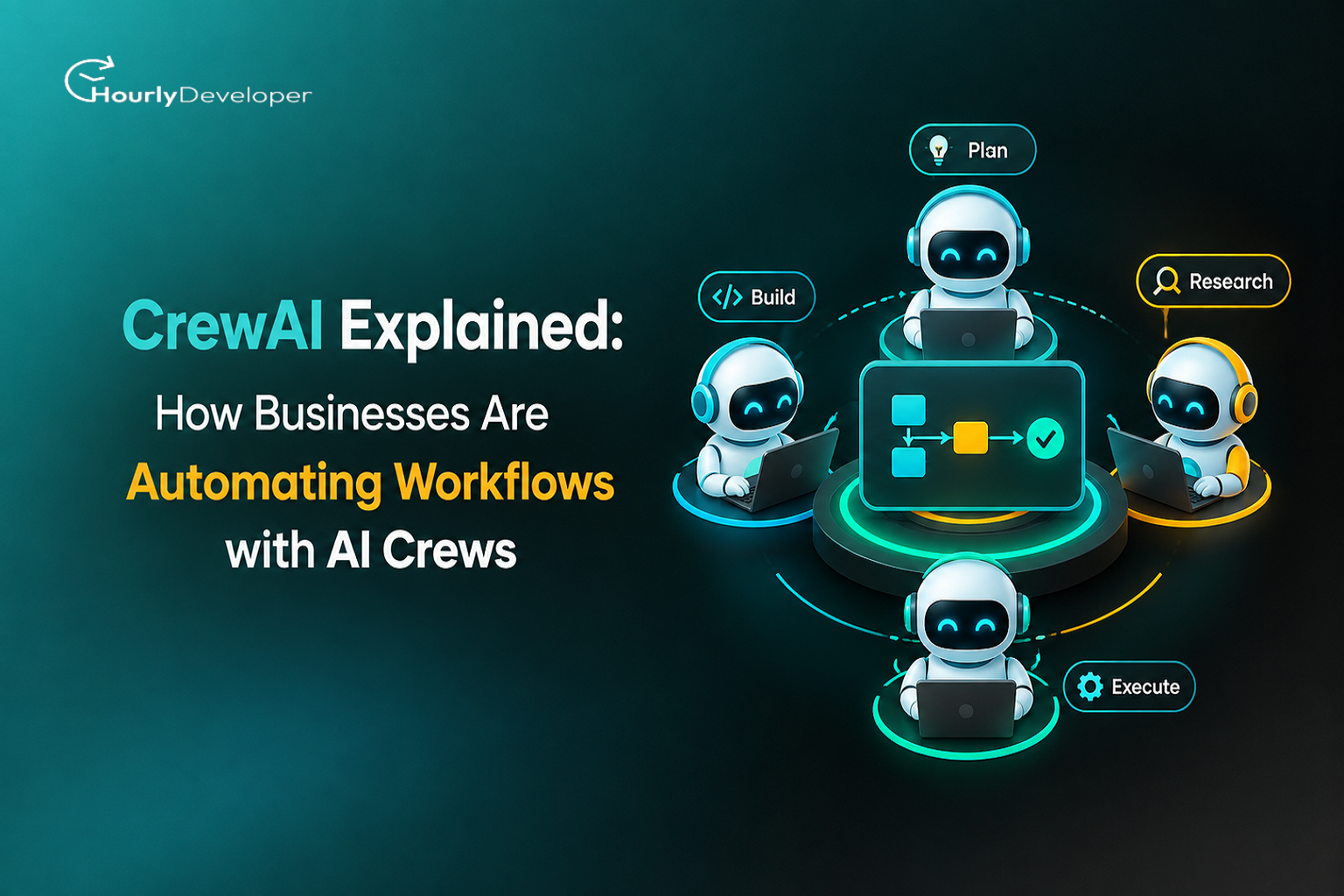
CrewAI Explained: How Businesses Are Automating Workflows with AI Crews
A marketing team spends three days pulling together a single content report. A finance team manually copies numbers out of five different systems before it can close the books. A support team answers the same fifty questions every week, worded slightly differently each time. None of this is unusual. It is the default state of most businesses, and it is exactly the kind of work that CrewAI was built to take off people's desks.
CrewAI is a Python based framework that lets developers build teams of AI agents, called crews, that work together on a task the way a group of colleagues would. One agent researches, another writes, a third checks facts, and a fourth formats the final output. Instead of asking a single AI model to do everything at once, which usually produces average results at best, CrewAI splits the work into roles. This article covers what CrewAI actually is, how it works under the hood, why businesses are adopting it in 2026, and what it takes to build a CrewAI system that holds up once real data and real customers are involved.
What Is CrewAI, Exactly?
CrewAI is an open source software framework for building and coordinating AI agents. It was created by João Moura and first released in December 2023. Since then it has become one of the most widely used agent frameworks available, with its GitHub repository passing 54,000 stars by mid 2026 and adoption growing fast enough that some trackers list it among the fastest growing agent frameworks of the year.
The word crew is a fair description of what it does. Rather than one large AI model trying to plan, research, write, and check its own work, CrewAI lets a developer define several smaller, specialized agents and give each one a narrow job. A content crew might include a researcher agent, a writer agent, and an editor agent. A finance crew might include a data pulling agent, an analyst agent, and a report writing agent. Each agent keeps its own role, its own instructions, and often its own set of tools, while the crew as a whole works toward one shared goal.
CrewAI is written entirely in Python and does not depend on LangChain or any other agent framework, which keeps installation lighter and cuts down on dependency conflicts for a development team. It connects to most major language models, including OpenAI, Anthropic Claude, Google Gemini, and open source models run locally through Ollama, so a company is not locked into a single AI provider. That flexibility is a big part of why it fits so easily into an existing tech stack rather than requiring a company to rebuild its AI setup from scratch. As of April 2026, the framework's stable release sits at version 1.14.3, which reflects steady, active development rather than a project that launched once and stalled.
For anyone who has never looked at a line of code, here is what building a crew looks like in plain terms. A developer writes a short description for each agent: its role, such as "Content Researcher," its goal, such as "Find the three most relevant statistics on this topic," and sometimes a short backstory that shapes its tone. Each task gets its own short description too, written almost like an instruction you would give a new employee on their first day. The developer then lists the agents and tasks together, picks sequential or hierarchical, and runs the crew. A basic version can genuinely be put together in an afternoon. A version reliable enough to run inside a live business process usually takes longer, mainly because of testing, not because the underlying code is difficult.
The Building Blocks of CrewAI
Everything in CrewAI is built from five core pieces, with a sixth layer sitting above them for more complex, event driven work. Once these six pieces make sense, the rest of the framework is mostly a matter of combining them.
Building Block
What It Does
Plain Example
Agent
A single AI worker with a role, a goal, and a background story that shapes how it behaves
A Senior Market Researcher agent whose goal is to gather competitor pricing data
Task
One specific piece of work assigned to an agent, with clear instructions and an expected output
Summarize the last 10 support tickets and list the 3 most common complaints
Tool
An outside capability an agent can call, such as a web search, a database lookup, or a calculator
A search tool that lets the researcher agent pull live pricing pages
Process
The rule that decides how tasks move between agents: sequential or hierarchical
Sequential process, where task 1's output becomes task 2's input
Crew
The full team: the agents, their tasks, and the process connecting them
A four agent crew that researches, writes, edits, and formats a blog post
Flow
An event driven layer that manages state and decides when a crew should run
A flow that starts an onboarding crew only after a signed contract is detected
Most crews run on a sequential process, where the output of one agent becomes the input for the next, similar to an assembly line. For more open ended work, CrewAI also supports a hierarchical process. Here a manager agent is created automatically, and it assigns tasks to the other agents, reviews their work, and asks for revisions when something falls short. This is closer to how a real project manager runs a team, and it tends to work better for tasks where the right order of steps is not obvious from the start.
Flows sit above crews and solve a different problem. A single crew is good at finishing one bounded task. A flow decides which crew runs, when, and with what data, and it keeps track of state across the whole process. A company automating employee onboarding, for example, might use a flow to wait for a signed offer letter, then trigger one crew to set up accounts, another to schedule orientation, and a third to draft a welcome message, all without a person manually kicking off each step.
How CrewAI Actually Automates a Workflow
The best way to understand CrewAI is through a real example. Say a company wants to automate its weekly competitor pricing report, a task that currently takes an analyst about four hours every Monday. Here is roughly how that gets built as a crew.
Break the goal into tasks. The analyst's four hour job splits into three clear tasks: gather current pricing from competitor sites, compare it against last week's numbers, and write a short summary with the key changes highlighted.
Assign an agent to each task. A researcher agent handles data gathering, an analyst agent handles comparison, and a writer agent handles the summary. Each one gets a role description and a goal written in plain language.
Give agents the right tools. The researcher agent gets a web search tool and permission to browse specific competitor pages. The analyst agent gets access to last week's saved data. The writer agent gets a formatting tool that outputs a clean, ready to send document.
Set the process. Because each task depends on the one before it, this crew runs on a sequential process. Data gathering has to finish before comparison can start.
Run the crew and review the output. On the first few runs, a person checks the summary against the raw data to catch mistakes and tighten the agents' instructions.
Connect it to a trigger. Once the crew is reliable, a flow schedules it to run automatically every Monday morning and emails the finished report to the team, with no manual step required.
That is the whole pattern behind most CrewAI deployments. A repetitive, multi step task gets broken into roles, each role gets an agent and the tools it needs, and a process or flow decides how and when the pieces run together. The same structure applies whether the task is a pricing report, a customer support ticket, or a first draft of a quarterly board update.
Why Businesses Are Turning to CrewAI in 2026
Multi agent systems have moved from research demos to production faster than most people expected. A few numbers explain why interest in CrewAI for workflow automation has grown so quickly this year.
• 79% of companies now say they are adopting AI agents in some form, and 66% of adopters report measurable value from doing so, according to PwC.
• 40% of enterprise applications are expected to ship with task specific AI agents by the end of 2026, up from under 5% in 2025, per Gartner.
• The global enterprise AI agent market was valued at roughly $6.65 billion in 2025 and is projected to reach $142.35 billion by 2035.
• 93% of Indian business leaders say they plan to use AI agents within the next 12 to 18 months, according to Microsoft, placing India near the center of enterprise agent adoption right now.
• 22% of production AI deployments now coordinate three or more agents together, which shows multi agent systems like CrewAI are becoming a standard pattern rather than an experiment.
• North America currently leads adoption, with roughly 70% of organizations there actively using agentic AI in some form, and larger companies, those with more than 1,000 employees, show broader adoption than smaller ones.
CrewAI specifically benefits from a few of these trends. It is open source under the MIT license, so there is no license fee to start experimenting. It is written in Python, a language most existing development teams already know, so there is no new programming language to learn. And because it works with almost any large language model, a company does not have to switch AI providers to adopt it. Those three things together explain why it has become a common starting point for businesses building their first serious AI agent workflow automation development project.
Real Business Use Cases of CrewAI
CrewAI shows up most often in work that is repetitive, has clear steps, and currently eats up hours of skilled people's time. A few of the most common patterns businesses are building right now:
Content and Marketing Operations
A crew of researcher, writer, and editor agents can turn a topic and a keyword list into a publish ready draft. This does not replace a human editor, but it removes the slowest part of the process, the first draft, so a smaller content team can cover more topics without burning out.
Customer Support
A triage agent reads an incoming ticket and classifies it. A resolution agent checks the knowledge base and drafts a response for common questions. An escalation agent flags anything that needs a human, along with a short summary so the support rep does not have to read the whole conversation over again.
Finance and Reporting
A data pulling agent gathers numbers from accounting software, a reconciliation agent checks them against expected ranges and flags anomalies, and a report writing agent turns the result into a summary a manager can read in two minutes instead of an hour.
Sales and CRM Work
A lead research agent pulls public information on a new prospect, a drafting agent writes a personalized first outreach message, and a follow up agent tracks replies and nudges the sales rep when a lead has gone quiet for too long.
HR and Recruitment
A resume screening agent shortlists candidates against a job description, a scheduling agent coordinates interview times across calendars, and a communication agent sends timely updates to candidates so nobody is left waiting without a reply for weeks.
Software Development
A code review agent checks a pull request against a team's style guide, a test writing agent drafts unit tests for new functions, and a documentation agent keeps internal docs updated as the codebase changes, work that usually gets skipped when a team is under deadline pressure.
Market Research and Competitive Intelligence
A data gathering agent monitors competitor pricing, product pages, and public announcements. An analysis agent looks for patterns across that data. A summarizing agent turns the findings into a short brief a product or strategy team can actually read before their next planning meeting.
Legal and Contract Review
A clause extraction agent scans a contract for specific terms, such as payment deadlines or termination clauses. A comparison agent checks those terms against a company's standard playbook. A summary agent flags anything that falls outside normal terms, so a lawyer spends time only on what actually needs a human decision instead of reading every page of every contract line by line.
How CrewAI Fits Into an Existing Tech Stack
A common worry among IT teams is that adopting a new AI framework means ripping out existing systems. That is not how CrewAI is typically deployed. Because it is Python native and connects to any LLM provider through standard APIs, a crew can be built as a service that sits alongside a company's current CRM, ERP, or support desk software rather than replacing any of them. Tools inside CrewAI are built to call these existing systems directly, so an agent might read a ticket from an existing support platform, pull customer history from an existing CRM, and write its draft response back into that same platform, without the business needing new software outside the crew itself. This is part of why CrewAI for enterprise AI applications tends to be less disruptive to roll out than a full platform replacement, and why IT teams are often more open to piloting it than a bigger infrastructure change.
How Much Does a CrewAI Workflow Cost to Run?
CrewAI itself has no license fee, but that does not mean a crew is free to operate. The real cost comes from two places: the language model calls each agent makes, and the infrastructure that hosts the crew.
Cost Factor
What Drives It
Typical Pattern for a Small Crew
LLM API usage
Number of agents, length of prompts, and number of runs per day
A few dollars to a few hundred dollars a month for a low volume crew
Hosting
Where the crew runs: a small server, a serverless function, or a managed platform
Often absorbed into existing cloud infrastructure at low volume
Development time
Building, testing, and refining agent instructions before launch
The largest cost for most businesses, measured in developer hours
Ongoing maintenance
Monitoring, fixing failed runs, and updating tools as source systems change
Smaller than development cost, but continues for as long as the crew runs
For a business deciding whether to build a crew in house or hire an AI development company, this breakdown is worth doing early. A crew that looks cheap to run can still be expensive to build well, and the development hours needed to make a workflow reliable are usually the larger number, not the monthly API bill.
CrewAI vs LangGraph vs AutoGen
CrewAI is not the only agent framework on the market, and it is not always the right one. Here is how it compares with two of the other frameworks businesses evaluate most often.
Factor
CrewAI
LangGraph
AutoGen
Best for
Role based team workflows with a clear division of labor
Complex, stateful workflows that need fine grained control
Conversational patterns where agents talk through a problem
Learning curve
Lower. The team metaphor is easy to follow
Higher. Requires understanding graph based state machines
Moderate. Requires designing agent to agent dialogue
Dependencies
Built independently, lightweight Python core
Requires the wider LangChain ecosystem
Built by Microsoft, integrates well with Azure AI
Setup speed
Fast. A working crew can run within a day
Slower. More configuration needed up front
Moderate
Best fit for
Small to mid size teams or teams new to agent frameworks
Teams already invested in LangChain
Teams that want agents to debate before finalizing an answer
None of these frameworks is universally better than the others. The right choice depends on what a team already knows and what the workflow looks like. If a process maps cleanly onto how a group of specialists would divide up a project, CrewAI for enterprise AI applications is usually the fastest path to a working system. If a workflow needs complex branching logic and the team already lives inside the LangChain ecosystem, LangGraph tends to be the better fit. If the goal is agents that negotiate or critique each other's work before settling on an answer, AutoGen's conversational design is built for exactly that.
Benefits of CrewAI for Enterprise Automation
• No license fee to start. The core framework is open source and free under the MIT license.
• Works with any LLM. A company is not locked into one AI vendor and can switch providers without rebuilding a workflow from scratch.
• Role based design is easy to explain. Because it mirrors how a real team divides work, non technical stakeholders usually understand a crew diagram faster than a flowchart full of technical steps.
• Faster to prototype. Building agent orchestration logic from scratch takes weeks. CrewAI gives a working structure on day one.
• Growing library of ready made tools. Search, web scraping, file handling, and database connectors are already built, so a developer is not starting from zero.
• An optional managed layer exists. CrewAI AMP Suite adds deployment, observability, and governance for companies that want that handled by a vendor rather than built in house.
Where CrewAI Still Needs Human Oversight
CrewAI makes multi agent systems easier to build, but it does not make them foolproof. A few honest limitations worth planning for before a crew touches real business data:
• Cost can climb quickly at scale. Every agent that calls a language model adds to the bill. A five agent crew running hundreds of times a day costs meaningfully more than a single well written prompt, so cost limits need to be set before launch, not after the first invoice.
• Output is not always identical between runs. Two runs of the same crew on the same input can produce slightly different results, which matters for anything that needs to be consistent, such as compliance reporting.
• Debugging takes more discipline. A single prompt is easy to inspect. A crew of five agents passing work between each other needs logging at every step, or a mistake becomes hard to trace back to its source.
• The framework is not the whole solution. Production reliability depends on the tools, guardrails, and monitoring wired around the crew, not on CrewAI itself. Two companies using the same framework can end up with very different results.
• Adoption is still ahead of production maturity industry wide. Only about 31% of enterprises currently have an AI agent running in production, even though most report experimenting with agents in some form, and the median payback period across functions runs around 5.1 months. A CrewAI project should be scoped with that timeline in mind rather than expecting instant results.
Building a CrewAI Workflow: What It Actually Takes
Getting a demo crew running is the easy part. Getting a crew that a business can rely on every week is a different project, and it usually involves more planning than coding.
• Map the process before writing any code. Write down every step a human currently takes to do this task, in order, before deciding which steps become agents.
• Match each step to an agent, a task, or a tool. Not every step needs its own agent. Some steps are better handled as a tool call inside an existing agent's task.
• Decide on sequential or hierarchical early. This shapes how the rest of the crew is built, so it is worth deciding before assigning roles.
• Test each task on its own first. An agent that fails quietly inside a five step crew is much harder to catch than the same failure tested in isolation.
• Add logging for every task output, not just the final answer. This is the single biggest factor in how fast a team can fix problems once the crew is live.
• Plan for failure paths. Decide in advance what happens if an agent's output is clearly wrong. A silent failure that reaches a customer is worse than a clear error that stops the process.
Why Companies Hire AI Developers for CrewAI Projects
CrewAI is genuinely approachable for a Python developer who already understands the basics of working with a large language model. That said, most companies that ship a CrewAI system into production do not build it entirely on their own. The gap is rarely the framework itself. It is everything around it: prompt design that holds up on messy real world data, tool integrations with existing CRMs and databases, cost controls so a crew does not run up an unexpectedly large API bill, and monitoring that tells a business the moment an agent has gone off track.
This is why many businesses choose to hire AI developers rather than hand the project to a general software team with no agent experience. A developer who has already built and debugged multi agent systems recognizes failure patterns that are not obvious from the documentation, such as agents looping on the same task or a manager agent handing off work that a single agent could have finished faster on its own.
For a company running a CrewAI project alongside its regular product roadmap, working with an established AI development company is often the faster route. A good AI development company brings a team that has already solved the common problems around tool integration, data security, cost monitoring, and testing, so a business gets a working system in weeks rather than months. It also removes the need to hire, train, and retain a full time AI engineering team just to build and maintain one internal workflow tool, which rarely makes financial sense for a company whose core business is not software.
Conclusion
CrewAI did not invent the idea of AI agents working together, but it made that idea easy enough for a regular development team to actually build. Its role based design maps onto something every business already understands, a team of specialists dividing up work, which is a big part of why how businesses use CrewAI for workflow automation has become one of the more common questions operations and IT leaders are asking in 2026.
The framework itself is free and open source, so cost is rarely the real barrier. The real barrier is usually scoping the right workflow, wiring up the right tools, and building enough oversight that a crew of AI agents can be trusted with real business data. The companies getting this right are not necessarily the ones with the biggest AI budgets. They are the ones starting small, with one clear workflow, and expanding only after that first crew proves it actually works.
If your team is weighing whether to build this in house or bring in outside help, both paths can work, provided the workflow is well defined before any code gets written. Whether that means training your current developers on CrewAI or choosing to hire AI developers who have already shipped agent based systems, the underlying goal stays the same: take repetitive, multi step work off people's desks so they can spend their time on the parts of the job that actually need a human.
Nainesh Pandya, our astute Director, navigates our team toward unprecedented success. With a fervent dedication to innovation and a sharp business acumen, Nainesh propels our company forward with resolute determination. His strategic foresight and compassionate guidance motivate us to scale new heights collaboratively.
Frequently Asked Questions
Yes. The core CrewAI framework is open source under the MIT license, so there is no cost to download, run, or modify it. A business only pays for the LLM API calls its agents make and any hosting used to run the crew. CrewAI AMP Suite, the optional managed layer for deployment and monitoring, is priced separately for enterprise customers.
CrewAI is not tied to one provider. It connects to OpenAI, Anthropic Claude, Google Gemini, and open source models run locally through tools like Ollama. This matters for a business that already has a preferred AI vendor, or that needs certain data to stay on local infrastructure rather than being sent to a third party API.
A simple two or three agent crew for a well defined task, such as summarizing weekly reports, can be running within days once data access and tools are ready. Larger workflows spanning several departments, with custom integrations and a hierarchical process, typically take a few weeks to a couple of months depending on testing needs.
CrewAI itself does not store or transmit data beyond what a developer configures. Safety depends on how the crew is built: which LLM provider processes the data, what internal systems the tools can reach, and whether a human reviews output before it acts on anything. Regulated industries usually add extra logging and approval steps around sensitive tasks.
CrewAI scales down as easily as it scales up. A small business can run a two agent crew for a single recurring task, such as drafting weekly social posts, without any enterprise infrastructure. The main ongoing cost is LLM API usage, which for a small, well scoped workflow is usually a modest monthly expense rather than a major investment.
Find exceptional developers at Hourlydeveloper. Get the expertise, solutions, and teamwork you need for success. Hire developers easily and boost your projects today!
 Back to Blog